
ForkLift 4.4.5 for MacOS Download

ForkLift 4.4.5 for macOS is a professional file management and transfer application designed exclusively for Mac users. It combines a powerful dual-pane file manager with advanced support for FTP, SFTP, WebDAV, Amazon S3, and cloud storage, making it a comprehensive solution for efficiently managing local and remote files.
Unlike the standard Finder, ForkLift offers greater control, speed, and flexibility. It is especially popular among developers, system administrators, web designers, and power users who regularly work with servers and large file structures. Version 4.4.5 focuses on performance improvements, bug fixes, and enhanced compatibility with the latest macOS updates.
With a modern, native macOS interface, intelligent file operations, and seamless server connectivity, ForkLift 4.4.5 significantly improves file management productivity and workflows.
Key Features of ForkLift 4.4.5
ForkLift 4.4.5 includes powerful tools that go far beyond the default macOS Finder.
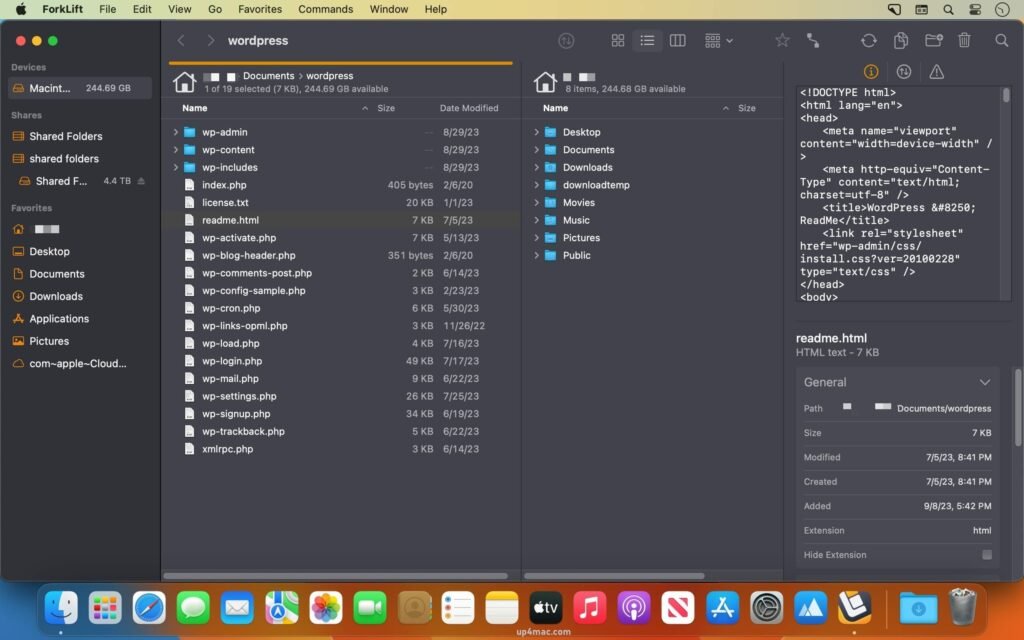
Dual-Pane File Management
- ForkLift’s dual-pane design lets you view two folders side-by-side, making file transfers faster and more intuitive. Drag and drop files between panes or use keyboard shortcuts for lightning-fast operations.
Advanced File Transfer Protocols
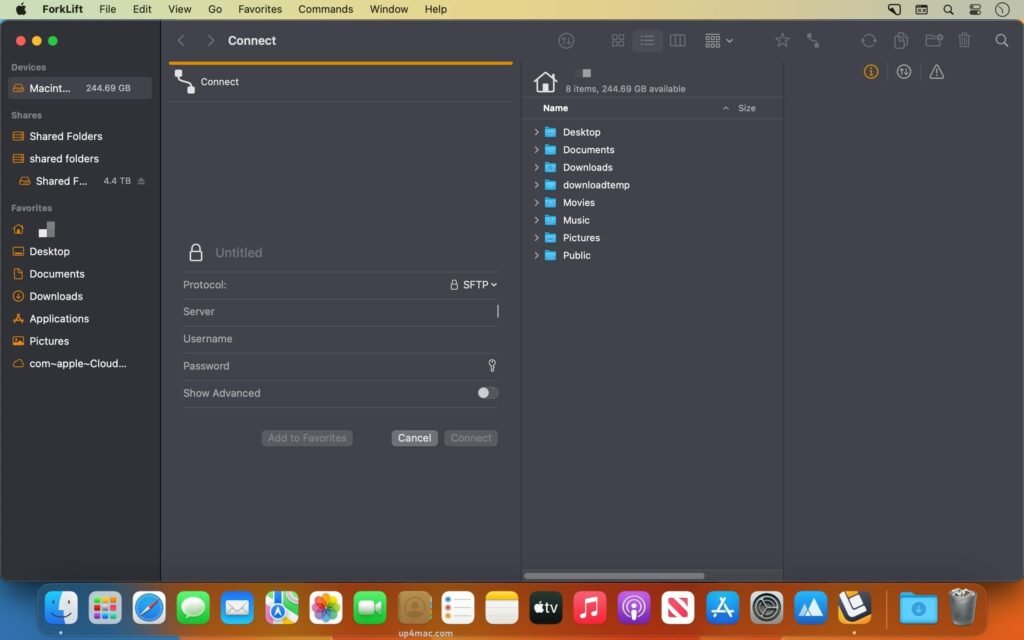
ForkLift supports multiple protocols, including:
- FTP/FTPS
- SFTP
- WebDAV
- Amazon S3
- Backblaze B2
- Google Drive
- Dropbox
This makes it ideal for managing websites, servers, and cloud storage from a single interface.
Finder Replacement Features
- ForkLift can function as a Finder replacement, offering tabs, split views, advanced search, and customizable toolbars for streamlined navigation.
Powerful File Sync and Comparison
- Sync folders locally or remotely with precision. Compare files and folders to detect changes before syncing, reducing errors and data loss.
Remote Editing
- Edit remote files directly with your preferred text editor. Changes are automatically uploaded after saving, saving you time and effort.
Renaming and Batch File Operations
- Rename multiple files at once with advanced rules. Easily perform batch operations like copying, moving, deleting, or archiving.
Smart Search and Filters
- Use advanced filters to quickly locate files by name, size, extension, date, or tags.
Native macOS Design
- ForkLift follows Apple’s design principles, offering a clean interface, Dark Mode support, and smooth performance on Macs with Intel and Apple Silicon.
System Requirements:
Before downloading ForkLift 4.4.5 for macOS, ensure your system meets the following requirements:
- Operating System: macOS 11 Big Sur or later
- Processor: Mac with Intel or Apple Silicon (M1 and M2 compatible)
- RAM: 4 GB minimum (8 GB recommended for heavy workloads)
- Storage: At least 200 MB of free disk space
- Internet Connection: Required for remote server access and cloud services
you can also download: AirRadar for MacOS
Screenshots:
What’s New in ForkLift 4.4.5
ForkLift 4.4.5 is a maintenance and performance update that refines the overall user experience.
Performance Improvements
- Faster file transfers with improved connection handling
- Reduced CPU usage during large file operations
- Improved responsiveness when browsing remote servers
Bug Fixes
- Fixed crashes related to SFTP connections
- Improved reliability of folder synchronization
- Resolved UI glitches in dual-pane and tab views
Compatibility Enhancements
- Better support for the latest macOS versions
- Improved Apple Silicon optimization
- Enhanced Dark Mode stability
Why Choose ForkLift for macOS?
ForkLift stands out as one of the most powerful file managers available for Mac. It eliminates the limitations of Finder and combines local and remote file management into one streamlined application. Whether you manage websites, servers, cloud storage, or large local file systems, ForkLift offers speed, reliability, and professional-grade control.
Homepage: https://binarynights.com/
Leave a Reply