
AirRadar 8.0.1 for MacOS Download

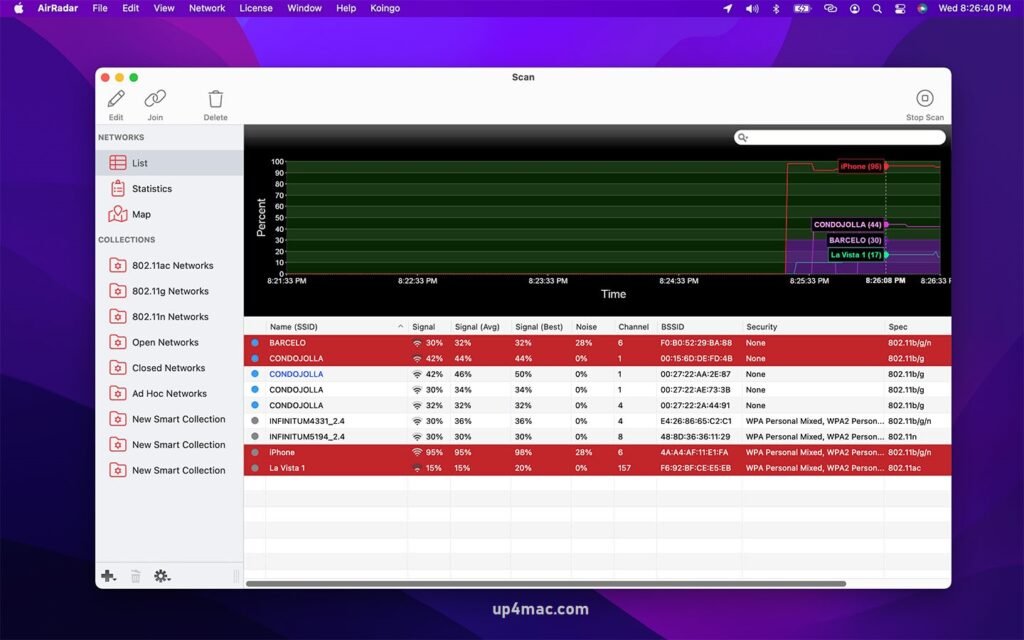
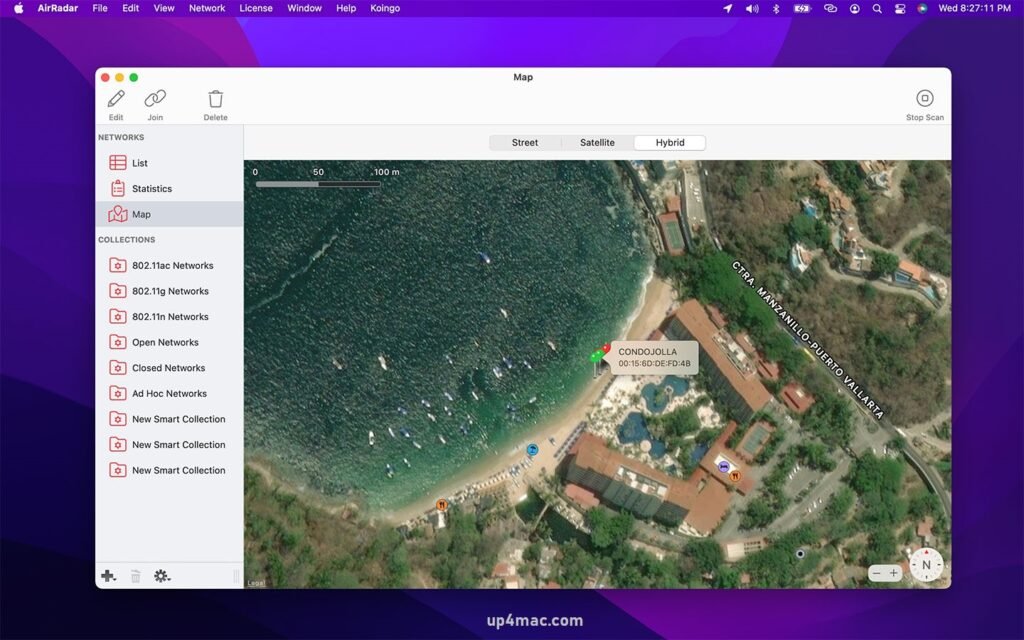
AirRadar 8.0.1 for macOS is an advanced Wi-Fi scanning and wireless network monitoring application designed specifically for Mac users. It helps you discover, analyze, and monitor nearby wireless networks with accuracy and ease. Whether you’re a network administrator, security professional, or a power user looking to optimize your Wi-Fi performance, AirRadar provides detailed information about wireless environments.
Unlike basic Wi-Fi tools, AirRadar provides real-time data such as signal strength, channel usage, encryption type, vendor information, and connection history. Version 8.0.1 continues to refine performance, compatibility, and accuracy, making it an essential tool for managing wireless connections on macOS.
With its modern interface, real-time monitoring, alerting system, and advanced filtering options, AirRadar is ideal for diagnosing Wi-Fi problems, improving network security, and optimizing wireless performance.
Key Features of AirRadar 8.0.1:
AirRadar 8.0.1 includes a comprehensive set of features that make wireless network monitoring efficient and reliable.
Advanced Wi-Fi Scanning
- Scan and identify all nearby wireless networks in real time. View detailed information such as SSID, BSSID, channel, signal strength, noise levels, and encryption type.
Signal Strength Monitoring
- Dynamicly monitor Wi-Fi signal strength to determine the best access points and optimal placement for routers and repeaters.
Channel and Interference Analysis
- Identify congested channels and sources of interference to improve network speed and stability.
Security and Encryption Detection
- Detect open networks and analyze encryption types such as WEP, WPA, WPA2, and WPA3 to assess network security.
Alerts and Notifications
- Set up alerts to notify you when preferred networks appear or when suspicious or unknown networks are detected nearby.
History and Logs
- Keep logs of previously detected networks and signal changes over time for deeper analysis and troubleshooting. Manufacturer and Hardware Identification
- View hardware manufacturer details by searching for MAC addresses, which helps identify routers and access points.
Native macOS Interface
- Designed to match the macOS aesthetic, AirRadar supports Dark Mode and offers a smooth and intuitive user experience.
System Requirements
Before downloading AirRadar 8.0.1 for macOS, ensure your system meets the following requirements:
- Operating System: macOS 12 Monterey or later
- Processor: Mac with Intel or Apple Silicon (M1 and M2 compatible)
- RAM: Minimum 4 GB (8 GB recommended for advanced scanning)
- Storage: At least 150 MB of free disk space
- Network: Built-in or compatible Wi-Fi adapter
- Display: 1280×800 resolution or higher
you can also download: Magic Battery for Mac
What’s New in AirRadar 8.0.1
AirRadar 8.0.1 is a maintenance and compatibility update focused on improving reliability and user experience.
Performance Improvements
- Faster Wi-Fi scanning and data update rates
- Improved accuracy in signal strength readings
- Reduced CPU and battery consumption
Bug Fixes
- Fixed crashes during extended monitoring sessions
- Improved stability when switching networks
- Fixed UI issues on the latest macOS versions
macOS Compatibility Improvements
- Improved compatibility with the latest macOS updates
- Improved Apple Silicon optimization
- Improved Dark Mode performance
Why choose AirRadar for macOS?
AirRadar stands out for its accuracy, reliability, and professional-grade Wi-Fi analysis tools. Unlike basic network utilities, it offers detailed information and proactive alerts that help users optimize performance and improve wireless security. It’s an excellent choice for IT professionals, network engineers, and advanced Mac users.
Leave a Reply