
Data Guardian 7.9.1 for MacOS Download
Data Guardian 7.9.1 for MacOS is a secure database application. Security and privacy are two of today’s most important issues; leaving passwords on sticky notes on your computer is no longer enough. Data Guardian is a secure database application with up to 448-bit Blowfish encryption, regardless of how sensitive your data is. Create multiple databases in Data Guardian for various purposes, such as an address book, a customer database, a holiday shopping list, a journal, a password manager, or even a notepad.
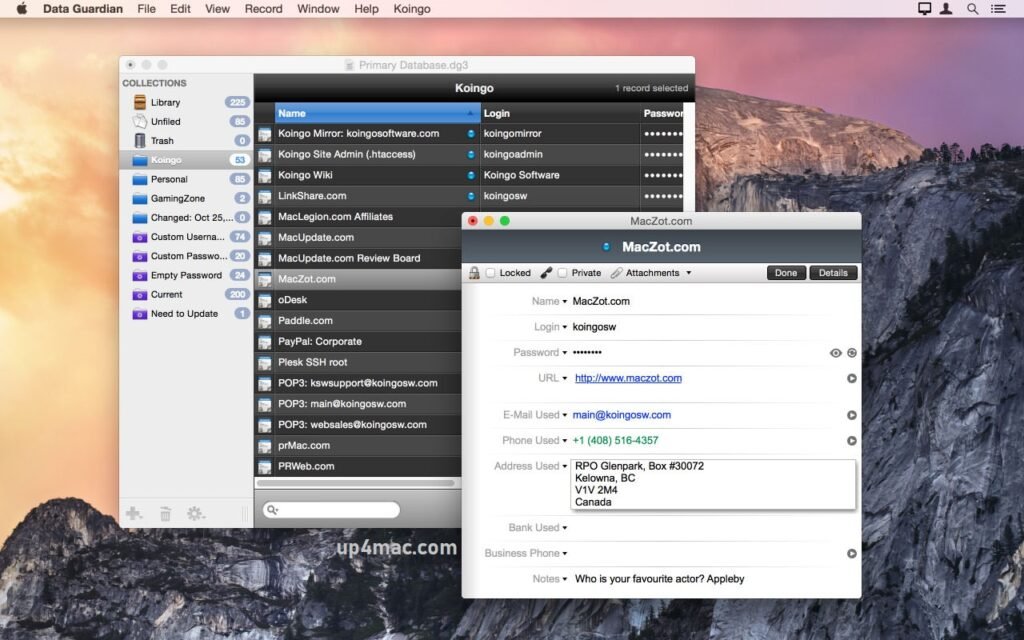
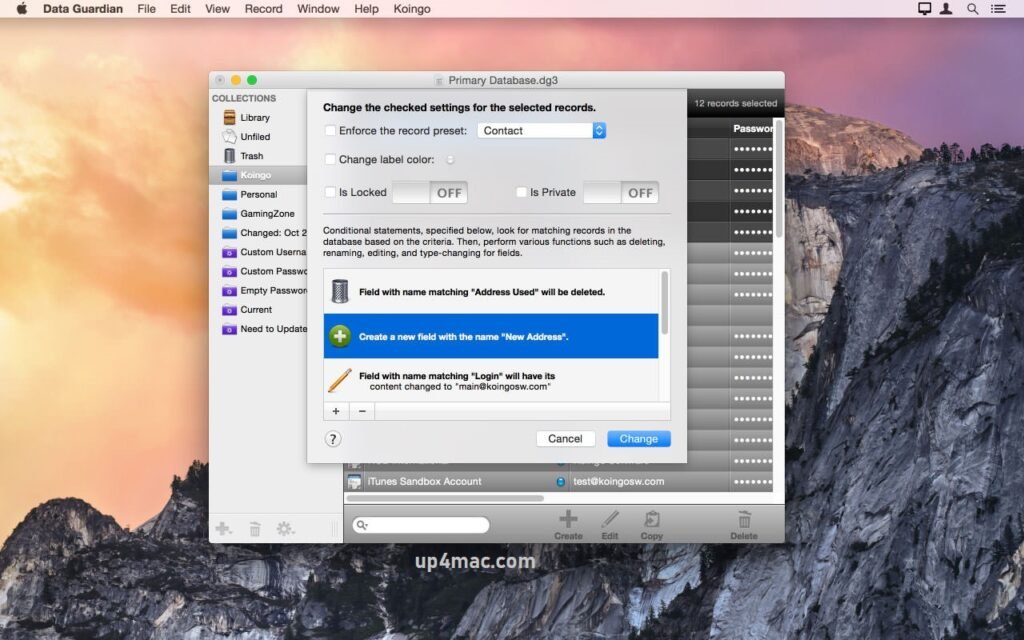
Easily create categories to store records and even apply custom color labels and icons. Change the display options for each category to see the information you want and even add your own custom data fields. Don’t get stuck with a program that forces you to enter your information into predefined fields. Enter the data you need, not the data you’re forced to enter.
In addition to easy integration with the Data Guardian for Mac keychain for password autofill on websites, it also offers various tools and features to enhance each record. Dial phone numbers through your modem with a single click, create new email messages, generate secure passwords (based on an algorithm of your choice), and even synchronize two databases.
Key Features of Data Guardian 7.9.1 for MacOS
Data Guardian offers a comprehensive set of features that make it one of the most reliable data protection tools available for Mac users. The most important features are listed below.
- Military-Grade Encryption: Data Guardian uses advanced AES-256 encryption to protect sensitive data. This industry-standard encryption ensures that stored information remains inaccessible to unauthorized users, even in the event of a data breach or system attack.
- Secure Password Management: The application allows users to securely store, organize, and retrieve passwords for websites, applications, and services. With structured categories and a search function, managing login credentials becomes efficient and secure.
- Secure Storage of Notes and Documents: Data Guardian allows users to store private notes, personal records, financial information, and important documents in encrypted vaults. This feature eliminates the need for insecure text files or physical storage.
- Customizable Data Categories: Users can create custom categories and templates to organize their data according to their preferences. This ensures efficient data management and quick access to important information.
- Automatic Lock and Timeout Settings: For added security, Data Guardian automatically locks the application after a specified period of inactivity. This prevents unauthorized access when users are away from their devices.
- Advanced Search and Filtering: Built-in search and filtering options allow users to quickly locate specific records, improving productivity and efficiency.
- Secure Backup and Export Options: Data Guardian supports encrypted backups, allowing users to create secure copies of their data. Selective export options also allow for secure sharing or archiving of information when needed.
- MacOS Integration: The application integrates seamlessly with macOS, providing a native user experience with optimized performance and stability.
What’s New in Data Guardian 7.9.1: Latest Updates
Version 7.9.1 introduces several improvements designed to optimize performance, stability, and usability. These updates ensure a secure and smooth experience for users.
1. Improved macOS Compatibility
- Data Guardian 7.9.1 includes updates for compatibility with the latest macOS versions, ensuring stable performance on modern Mac hardware, including Apple Silicon devices.
2. Security Enhancements
- Several security enhancements have been implemented that strengthen encryption protocols and improve data management mechanisms to prevent potential vulnerabilities.
3. Performance Optimization
- Optimized memory usage and processing speed result in faster load times and smoother operation, especially when managing large encrypted databases.
4. User Interface Improvements
- Minor improvements to the interface enhance navigation and readability, making the application more intuitive and user-friendly.
5. Bug Fixes and Stability Improvements
- Several reported bugs have been fixed, reducing crashes and improving overall reliability.
you can also download: MonitorControl 4.3.3 for MacOS
Screenshots:
System Requirements:
- Operating System: macOS 10.13 (High Sierra) or later
- Processor: Mac with Intel or Apple Silicon processor
- RAM: 2 GB
- Disk Space: 100 MB of free storage
Conclusion:
Data Guardian 7.9.1 for MacOS is a powerful and reliable solution for securely managing sensitive data on Mac systems. With its robust encryption, flexible data organization, and seamless integration with macOS, it offers a perfect balance of security and ease of use.
Homepage: https://up4mac.com/
Leave a Reply