
iRightMouse Pro 2.3.2 for MacOS Download

iRightMouse Pro 2.3.2 for MacOS is a productivity-focused utility that enhances the macOS context menu by adding powerful shortcuts, custom actions, and application-specific commands. Instead of navigating through multiple menus or using complex keyboard shortcuts, users can perform common tasks directly from the context menu, saving time and effort.
Key Features of iRightMouse Pro for Mac
iRightMouse Pro offers a collection of practical features focused on improving efficiency and usability. Below are the most important features that make this tool a popular choice among macOS users.
Enhanced Right-Click Context Menu
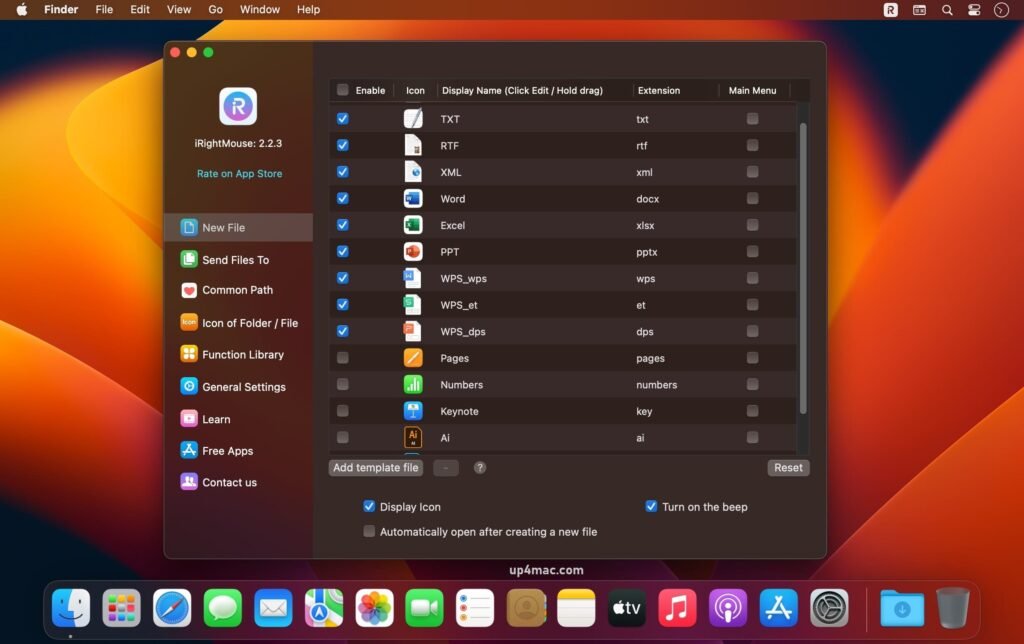
- The main feature of iRightMouse Pro is its enhanced right-click context menu. This adds a wide range of useful options directly to the context menu, allowing users to perform tasks such as opening files with specific applications, copying file paths, creating new files, or accessing system commands instantly.
- This improvement significantly reduces the number of steps required to complete routine actions.
Customizable Menu Actions
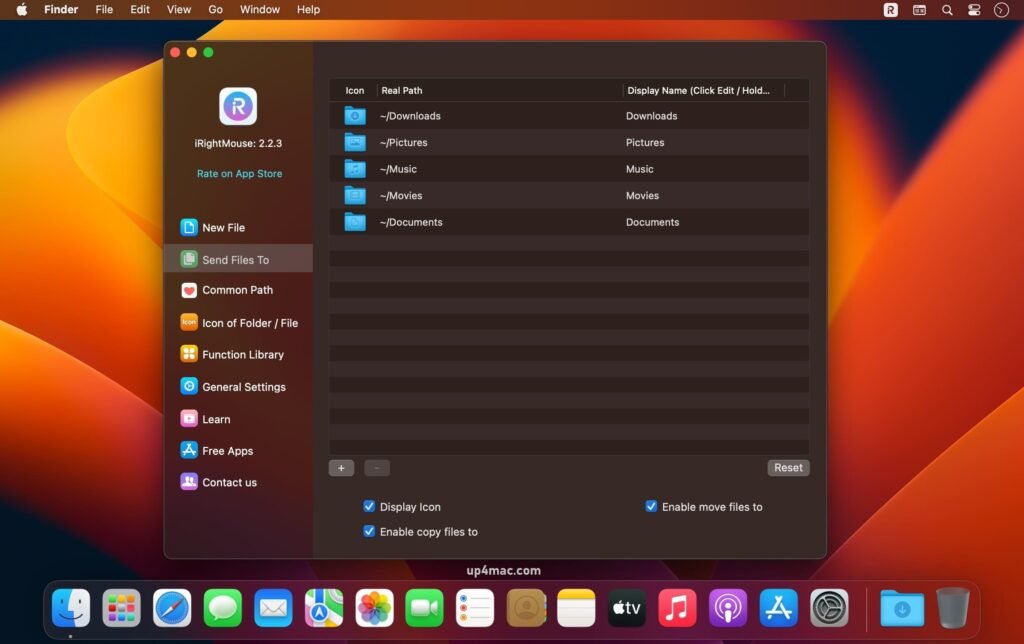
- iRightMouse Pro for Mac allows users to customize the context menu to suit their needs. They can enable, disable, or rearrange menu items to create a clean and efficient workflow. This level of customization ensures that only relevant options are displayed, reducing clutter and improving usability.
File and Folder Management Tools
- Managing files and folders is faster with iRightMouse Pro. The software includes shortcuts for copying file names, paths, and URLs, as well as quick actions for creating new files or folders. These features are especially useful for developers, writers, and system administrators.
Application-Specific Shortcuts
- One of iRightMouse Pro’s standout features is its support for application-specific actions. Users can assign different right-click options depending on the active application. For example, developers can enable coding-related shortcuts in editors, while designers can use image-related actions in creative software.
System Commands and Utilities
- iRightMouse Pro integrates useful system commands into the context menu. Actions such as closing applications, hiding windows, emptying the Trash, or accessing system utilities can be performed quickly without having to navigate through macOS menus.
Lightweight and Efficient Performance
- Despite its additional features, iRightMouse Pro is lightweight and runs efficiently in the background. It doesn’t consume many system resources, ensuring smooth performance even on older Macs.
What’s New in iRightMouse Pro 2.3.2
Version 2.3.2 focuses on stability, compatibility, and refinement. These updates improve the software’s overall reliability and ensure smooth operation on modern macOS systems.
Improved macOS Compatibility
- iRightMouse Pro 2.3.2 is optimized for the latest macOS versions. Improved system-level compatibility ensures fewer permission issues and more consistent behavior between updates.
Performance and Stability Improvements
- This version includes performance optimizations that speed up and optimize the responsiveness of context menu actions. Stability improvements reduce crashes and ensure consistent operation during extended use sessions.
Bug Fixes and Minor Improvements
- Several minor bugs reported in previous versions have been fixed. These fixes improve menu responsiveness, reduce occasional lag, and enhance the overall user experience.
Improved Customization Reliability
- Customization options in version 2.3.2 are more reliable, ensuring that user-defined menu settings are retained after a system restart or update.
you can also download: MouseBoost Pro 4.1.1 for Mac
Screenshots:
System Requirements for iRightMouse Pro for MacOS 2.3.2
Before installing iRightMouse Pro, it’s important to ensure your Mac meets the system specifications.
Minimum System Requirements
- Operating System: macOS compatible with iRightMouse Pro 2.3.2
- Processor: Mac with an Intel or Apple Silicon processor
- RAM: 2 GB minimum
- Storage: At least 100 MB of available disk space
- Input Device: Mouse or trackpad
These requirements are sufficient for basic context menu enhancements.
Recommended System Requirements
- Operating System: Latest supported version of macOS
- Processor: Apple Silicon (M1, M2, or later) or high-performance Intel processor
- RAM: 4 GB or more
- Storage: SSD for faster system response
- Input Device: Multi-button mouse or trackpad
Advantages and Disadvantages of iRightMouse Pro for macOS 2.3.2
Evaluating the advantages and limitations helps users determine if this software fits their workflow.
Advantages
- Enhances the functionality of the macOS right-click context menu
- Saves time by reducing repetitive actions
- Highly customizable menu options
- Application-specific shortcuts to streamline workflows
- Lightweight and resource-efficient
- Suitable for both beginners and advanced users
Disadvantages
- Initial setup may take time for new users
- Limited benefits for those who prefer keyboard-only workflows
- Available only for macOS
Conclusion
iRightMouse Pro for macOS 2.3.2 is a practical and efficient productivity tool that significantly improves daily interactions with macOS. By enhancing the right-click context menu with customizable actions and shortcuts, it helps users complete tasks faster and in fewer steps.
Homepage: https://up4mac.com/
Leave a Reply