
MonitorControl 4.3.3 for MacOS Download

MonitorControl 4.3.3 for MacOS is an open-source application that could be a solution in this case. It supports a wide range of monitors, as long as they can be controlled via DDC, and also allows you to manage contrast and volume from the menu bar or with the keyboard.
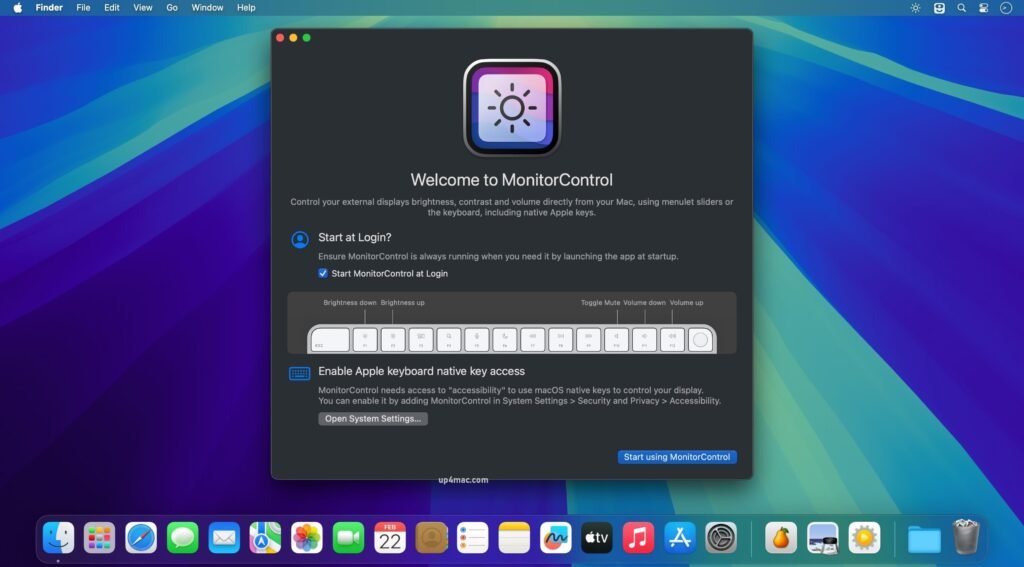
Once the application is installed, you should find its icon in the menu bar. If your external display is supported, you’ll see it there, along with the brightness, contrast, and volume sliders. These can be used even without an Apple keyboard, but the native OSD will only be displayed when using the designated keys.
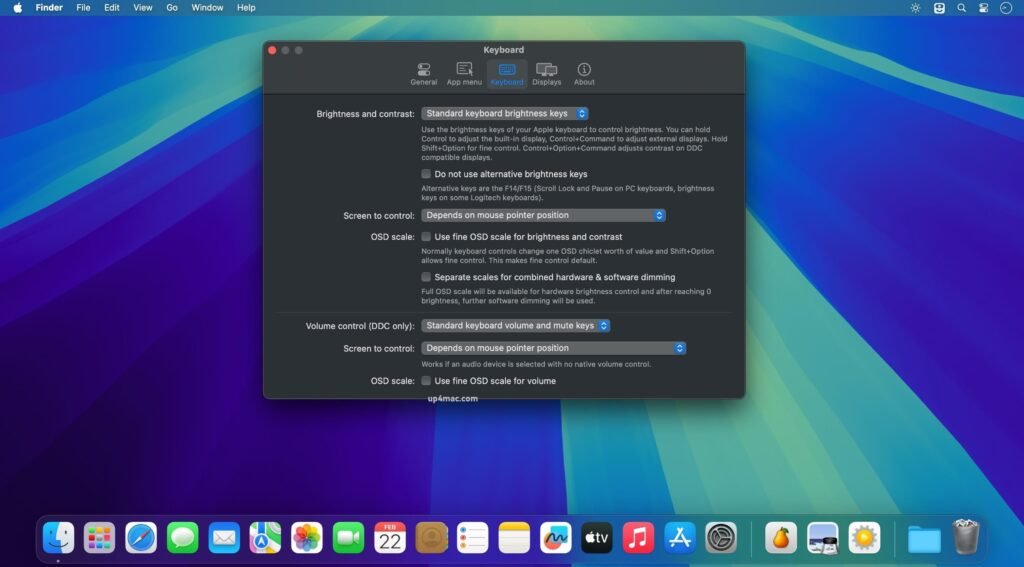
From the application’s preferences, you can specify which monitors it should control (if you have more than one), hide the contrast slider, and even adjust some advanced options for each display. You can change the polling mode, enable a longer delay, or disable the OSD entirely.
Key Features of MonitorControl 4.3.3 for MacOS
- External Monitor Brightness Control: One of MonitorControl’s key features is the ability to control the brightness of external displays directly from your Mac. Users can adjust the brightness using the keyboard keys, the menu bar slider, or Control Center, eliminating the need to use the monitor’s physical buttons.
- Contrast Adjustment: In addition to brightness, MonitorControl allows you to adjust the contrast. This feature is especially useful for designers, photographers, and video editors who require precise display calibration for color accuracy and visual clarity.
- External Monitor Volume Control: MonitorControl allows you to control the audio volume of monitors with built-in speakers. Users can manage volume using standard macOS shortcuts, ensuring seamless audio adjustments without switching devices.
- Menu Bar Integration: The application integrates seamlessly with the macOS menu bar, providing quick access to brightness, contrast, and volume controls. This ensures minimal workflow disruption and maximum convenience.
- Keyboard Shortcut Support: MonitorControl supports customizable keyboard shortcuts, allowing users to adjust monitor settings quickly and efficiently. This feature enhances productivity, especially for users working in fast-paced environments.
- Multi-Monitor Support: The software supports multiple external displays, enabling independent brightness and contrast control for each connected monitor. This is ideal for users with complex multi-monitor setups.
- Broad Hardware Compatibility: MonitorControl is compatible with a wide range of monitors, including popular brands and various connection types. Whether you use HDMI, DisplayPort, USB-C, or Thunderbolt, the software guarantees reliable performance.
- Automatic Display Detection: The application automatically detects connected displays and applies the appropriate settings. This feature ensures smooth transitions when connecting or disconnecting monitors.
- Lightweight and Resource-Efficient: MonitorControl is designed to be lightweight and consume minimal system resources. This ensures smooth operation without slowing down your Mac, even when running continuously in the background.
MonitorControl 4.3.3 What’s New – Latest Updates
1. Improved macOS Compatibility
- MonitorControl 4.3.3 includes optimizations for the latest macOS versions, ensuring stable performance on modern Mac hardware, including Apple Silicon devices. This update guarantees smoother operation and better system integration.
2. Improved Monitor Detection
- The new version improves the detection of external monitors, enabling faster recognition of connected displays and more accurate application of brightness and contrast adjustments.
3. Bug Fixes and Stability Improvements
- Several known bugs from previous versions have been fixed, reducing crashes and improving overall reliability. These fixes contribute to a more consistent user experience.
4. Performance Optimization
- Optimized code ensures faster response times when adjusting brightness, contrast, and volume, even in multi-monitor setups.
5. User Interface Improvements
- Minor interface improvements enhance usability and clarity, making it easier for users to access and configure their display efficiently.
you can also download: Whisper Transcription 13.13 for Mac
Screenshots:
System Requirements:
- Operating System: macOS 10.13 (High Sierra) or later
- Processor: Mac with Intel or Apple Silicon
- RAM: 2 GB
- Disk Space: 50 MB of free storage
- Display Connection: HDMI, DisplayPort, USB-C, or Thunderbolt
Use Cases and Practical Applications
MonitorControl is ideal for a wide range of users and professional scenarios, including:
- Remote workers: Improve comfort and productivity with easy brightness adjustments.
- Graphic designers: Achieve precise brightness and contrast for creative projects.
- Developers: Optimize screen settings for long programming sessions.
- Office professionals: Efficiently manage multi-monitor setups.
- Students: Enhance learning environments with adjustable screen brightness.
Conclusion:
MonitorControl for macOS 4.3.3 is an essential utility for anyone using external monitors with their Mac. By allowing direct control of brightness, contrast, and volume, it significantly improves usability, comfort, and productivity. Its lightweight design, seamless integration with macOS, and broad hardware compatibility make it a reliable solution for both casual and professional users.
Homepage: https://up4mac.com/
Leave a Reply