
SQLPro Studio 2026.0.7 for MacOS Download

SQLPro Studio 2026.0.7 for MacOS is a professional database client designed to simplify database management, development, and analysis on macOS systems.
SQLPro Studio is a feature-rich SQL client that supports multiple database engines, including MySQL, PostgreSQL, Microsoft SQL Server, SQLite, and Oracle. It offers a clear interface, a powerful query editor, advanced data exploration tools, and seamless integration with macOS. Whether you’re managing enterprise databases or personal projects, SQLPro Studio delivers speed, reliability, and ease of use.
Key Features of SQLPro Studio 2026.0.7 for MacOS
SQLPro Studio offers a wide range of features that make database management efficient, secure, and highly productive. The most notable features are listed below.
Multi-Database Support
One of the main advantages of SQLPro Studio is its broad database support. The application supports:
- MySQL and MariaDB
- PostgreSQL
- Microsoft SQL Server
- SQLite
Oracle Database: This multi-database support allows users to manage different database systems from a single, unified interface, streamlining workflows and reducing tool dependencies.
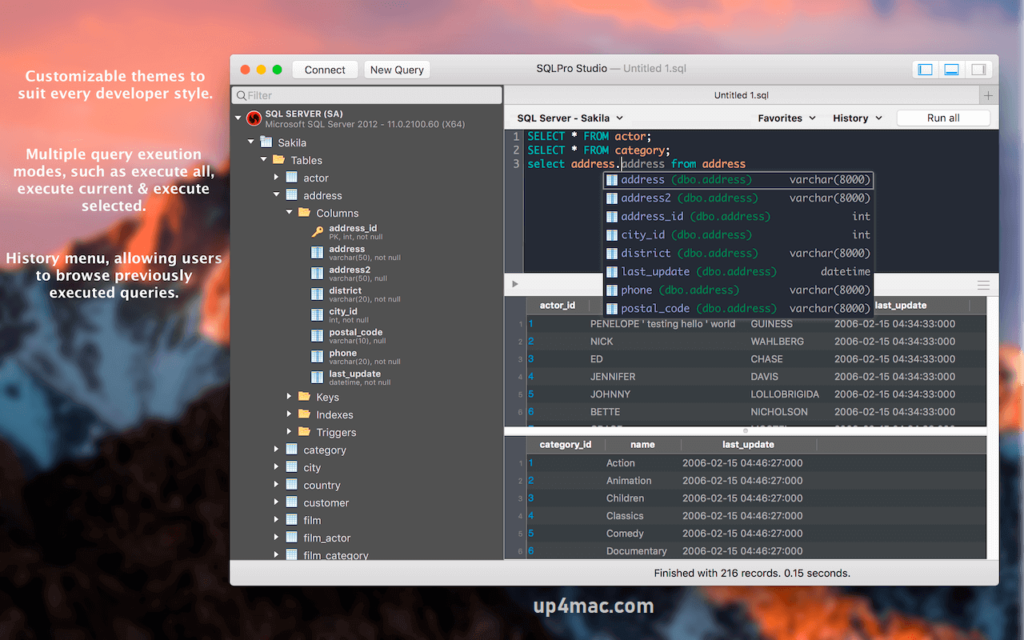
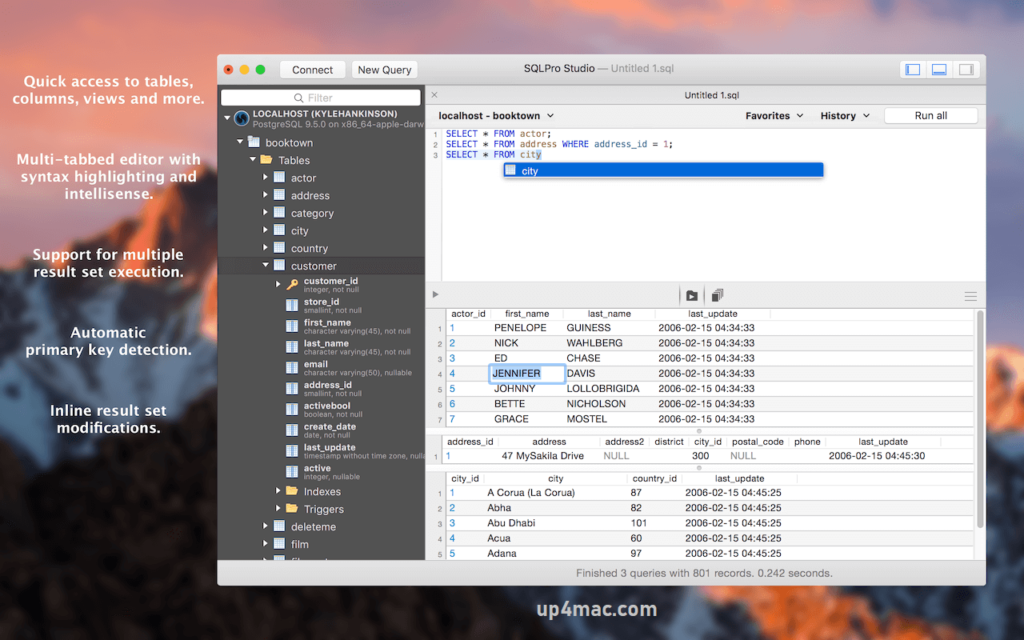
Powerful SQL Query Editor: SQLPro Studio features a high-performance SQL editor with syntax highlighting, intelligent autocomplete, query formatting, and error detection. These tools help developers write cleaner, more precise SQL queries while reducing syntax errors and improving productivity.
Visual Table and Data Management: Users can easily explore, edit, insert, and delete records using a visually intuitive table editor. Filtering, sorting, and real-time online data editing enable rapid data manipulation without the need to write complex SQL commands.
Advanced Query Execution and Results Visualization: SQLPro Studio allows for the rapid execution of complex queries and displays the results in a clear and readable format. Users can export results in multiple formats, such as CSV, Excel, JSON, and SQL, to generate reports and share data.
Secure Connection Management: The application supports encrypted connections using SSL and SSH tunneling, ensuring secure communication with remote databases. This is especially important for enterprise environments and handling sensitive data.
Database Structure Visualization: SQLPro Studio provides structured views of schemas, tables, indexes, triggers, views, and stored procedures. This feature helps users efficiently understand the database architecture and relationships.
Import and Export Tools: With built-in import and export tools, users can seamlessly transfer data between databases and external files. This is ideal for data migration, backups, and reporting workflows.
Tabbed Interface and Session Management: The tabbed interface allows you to manage multiple queries and database connections simultaneously. Session management ensures quick switching between projects without losing progress.
Native macOS Optimization and Design: SQLPro Studio is designed specifically for macOS and offers smooth performance, system-level optimizations, and a native user interface that perfectly matches macOS design standards.
What’s New in SQLPro Studio 2026.0.7 – Latest Updates
Version 2026.0.7 introduces several improvements focused on performance, stability, and usability. These updates aim to provide a smoother and more reliable database management experience.
Improved Performance and Speed
- Significant performance optimizations improve query execution speed, reduce memory usage, and enhance responsiveness, especially when working with large datasets and complex queries.
Enhanced Database Compatibility
- The latest version includes improved compatibility with the most recent versions of MySQL, PostgreSQL, SQL Server, and Oracle, ensuring seamless connectivity and stable operation.
Advanced Query Editor Enhancements
- Improvements to autocomplete, syntax highlighting, and error detection provide more accurate suggestions and faster query writing.
User Interface Improvements
- Minor user interface updates improve design clarity, navigation, and workflow efficiency, resulting in a more intuitive user experience.
Bug Fixes and Stability Improvements
- Several issues reported in previous versions have been fixed, significantly reducing crashes and improving the overall reliability of the application.
Security Updates
- Improved encryption management and SSH tunneling mechanisms strengthen data security during remote database connections.
you can also download: Multitrack Editor 1.0.9 for Mac
Screenshots:
System Requirements:
- Operating System: macOS 10.15 (Catalina) or later
- Processor: Mac with Intel or Apple Silicon
- RAM: 4 GB
- Disk Space: 500 MB of free storage
- Internet Connection: Required for remote database access
Conclusion
SQLPro Studio for macOS 2026.0.7 stands out as a powerful, reliable, and professional-grade database management solution. Its comprehensive database support, advanced query editor, secure connectivity options, and seamless integration with macOS make it an excellent choice for developers, administrators, and data professionals.
Homepage: https://up4mac.com/
Leave a Reply