
Video Converter X2 1.3.3 for MacOS Download

Video Converter X2 for Mac is a lightweight yet powerful video conversion tool designed specifically for Mac users. It enables smooth conversion between the most popular video and audio formats, maintaining high output quality and fast processing speeds. Whether you need to convert videos for playback on Apple devices, optimize files for web sharing, or prepare content for professional use, Video Converter X2 offers an intuitive interface with advanced conversion features.
Version 1.3.3 further improves performance, stability, and format compatibility. With enhanced macOS support and optimized processing, Video Converter X2 remains a practical choice for both casual users and professionals seeking a reliable video conversion tool for macOS. you can also download: Wondershare Repairit for MacOS
Key Features of Video Converter X2 1.3.3
Video Converter X2 includes a comprehensive set of features that make it a versatile multimedia conversion tool for macOS users.
Wide Range of Supported Formats
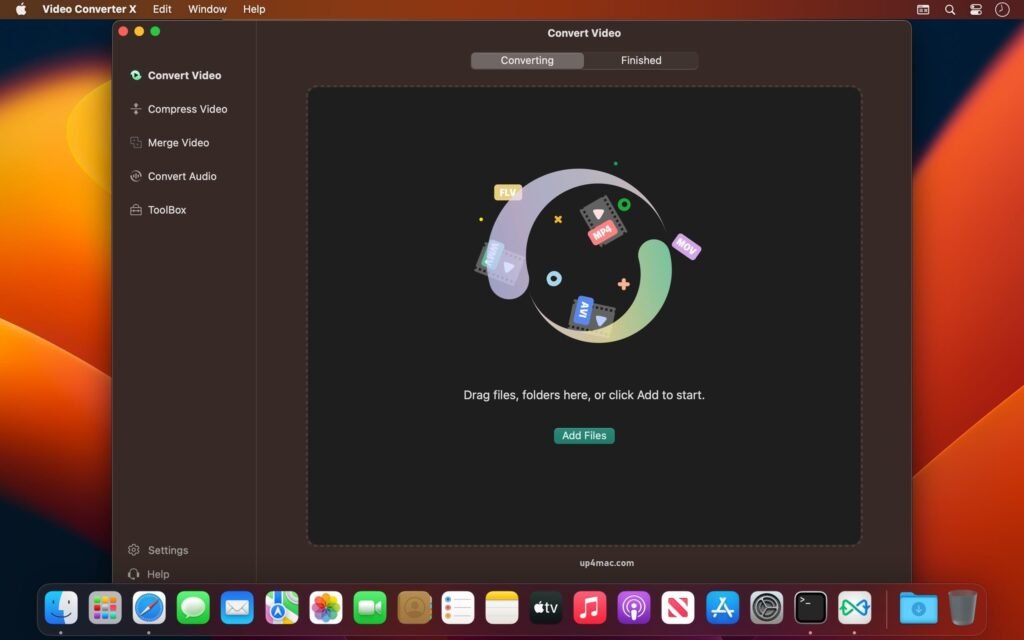
- One of the most significant advantages of Video Converter X2 is its broad format compatibility. The software allows you to convert videos between popular formats such as MP4, MOV, AVI, MKV, FLV, WMV, and MPEG. It also supports audio formats like MP3, AAC, WAV, and M4A, making it ideal for both video and audio conversion.
High-Speed Video Conversion
- Video Converter X2 is optimized to deliver fast conversion speeds without compromising output quality. By efficiently utilizing system resources, the software ensures smooth and fast processing, even when handling large video files or high-resolution content.
Presets for Apple Devices
- For added convenience, Video Converter X2 includes built-in presets for Apple devices such as iPhone, iPad, Apple TV, and Mac. These presets automatically adjust the resolution, bitrate, and encoding settings to ensure optimal playback on Apple platforms.
Intuitive Interface
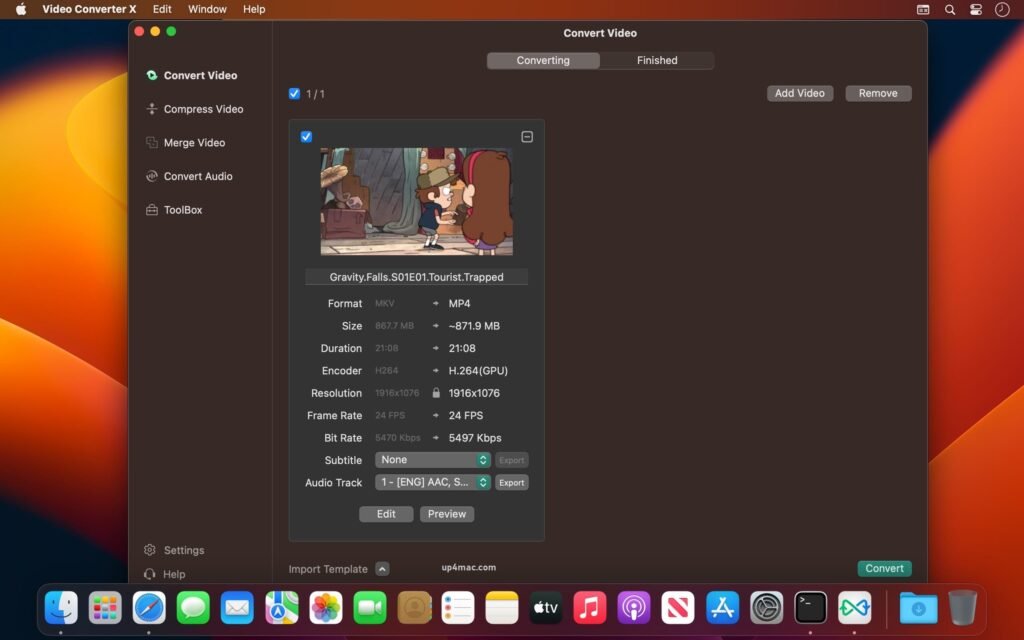
- Designed with simplicity in mind, Video Converter X2 features an intuitive interface that allows you to convert videos in just a few clicks. Its clean design ensures that even beginners can easily navigate the software, while advanced users can access detailed settings when needed.
Batch Conversion Support
- The batch conversion function allows you to convert multiple files simultaneously. This is especially useful for professionals or content creators who need to efficiently process large volumes of media.
Customizable Output Settings
- For users who require greater control, Video Converter X2 offers customizable output parameters. You can adjust the resolution, frame rate, bit rate, audio channels, and codec settings to meet your specific playback, streaming, or editing needs.
Audio Extraction from Video
- Video Converter X2 lets you extract audio tracks from video files and save them in the most popular audio formats. This feature is ideal for creating podcasts, music files, or audio-only content from video sources.
Lightweight and Resource-Efficient
- Unlike resource-intensive multimedia suites, Video Converter X2 is lightweight and doesn’t consume excessive system resources. This ensures smooth performance on most macOS systems, even when multitasking.
What’s New in Video Converter X2 1.3.3
Version 1.3.3 introduces several improvements that optimize usability, performance, and compatibility.
Improved macOS Compatibility
- This update improves compatibility with the latest macOS versions, ensuring stable performance and smooth operation on modern Apple hardware.
Improved Conversion Stability
- Video Converter X2 1.3.3 fixes minor bugs from previous versions, resulting in more reliable conversions and fewer interruptions during batch processing.
Performance Optimizations
- The latest version includes backend optimizations that improve processing speed and reduce conversion time, especially for high-definition video files.
Optimized User Experience
- Small improvements to the interface and workflow streamline the conversion process, improving overall usability for both new and existing users.
You Can Also Download: Aiarty Video Enhancer 3.3 for Mac
Screenshots:
System Requirements for Video Converter X2 1.3.3
Before installing Video Converter X2 on your Mac, make sure your system meets the following requirements.
Minimum Requirements
- Operating System: macOS 10.13 or later
- Processor: Mac with an Intel or Apple Silicon processor
- RAM: 4 GB
- Storage Space: 500 MB of free disk space
- Display: 1280 × 800 resolution
Recommended Requirements
- Operating System: Latest version of macOS
- Processor: Apple Silicon (M1 or later) or Intel Core i5 or better
- RAM: 8 GB or more
- Storage: SSD with ample free space for media files
- Graphics: Metal-compatible graphics for smoother performance
Advantages and Disadvantages of Video Converter X2 1.3.3
Advantages
- Compatible with a wide range of video and audio formats
- Fast and efficient conversion
- User-friendly interface, ideal for all users
- Batch conversion saves time
- Optimized presets for Apple devices
- Lightweight and resource-efficient
- Custom output settings for advanced users
Disadvantages
- Limited video editing features
- No advanced effects or filters
- Designed primarily for conversion, not for full multimedia editing
- Requires sufficient storage for large video files
Conclusion:
Video Converter X2 1.3.3 for macOS is a practical and efficient solution for users in the United States who need a reliable video conversion tool. With its broad format support, fast processing speeds, and intuitive interface, it’s ideal for both casual users and professionals who perform daily multimedia file conversion tasks.
The latest updates in version 1.3.3 improve performance, stability, and macOS compatibility, making the software more reliable than ever. While it doesn’t replace full-featured video editing applications, Video Converter X2 excels at its primary purpose: delivering high-quality video and audio conversions with minimal effort.
Homepage: https://up4mac.com/
Leave a Reply