
Whisper Transcription 13.13 for MacOS Download

Whisper Transcription 13.13 for MacOS is a powerful and reliable solution designed to deliver high-quality, fast, and accurate speech-to-text transcription on Mac systems.
Whisper Transcription is known for its advanced audio processing capabilities, multilingual support, and seamless integration with macOS. It allows users to transcribe interviews, meetings, podcasts, lectures, and video content with exceptional clarity and accuracy. With its intuitive interface and performance optimizations, it’s ideal for both beginners and advanced users seeking professional-quality transcription results.
Whisper Transcription 13.13 for Mac Key Features
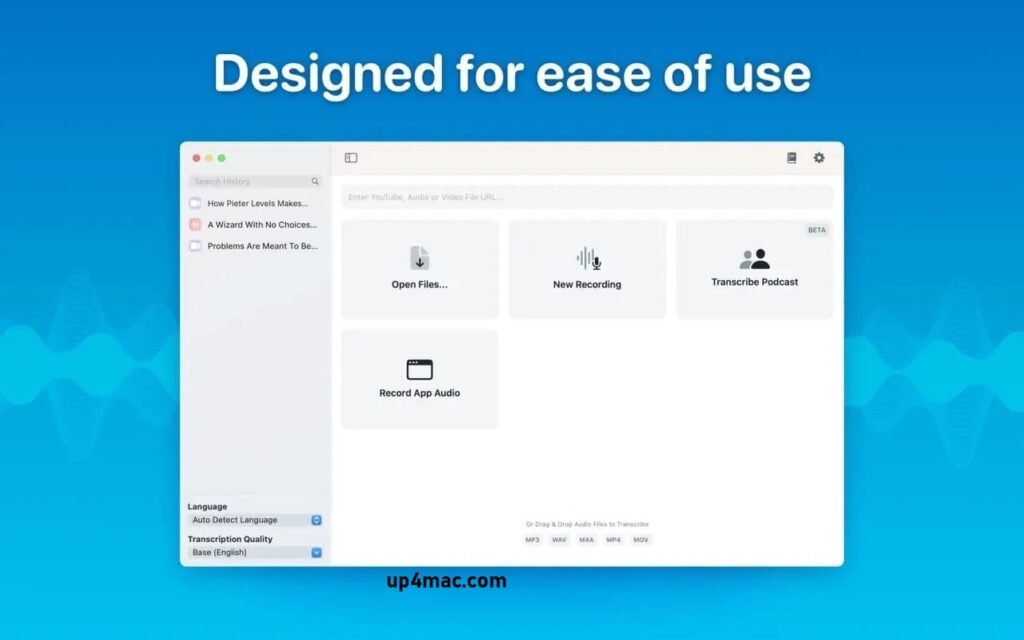
- Easy Transcription: Drag and drop audio files for instant conversion.
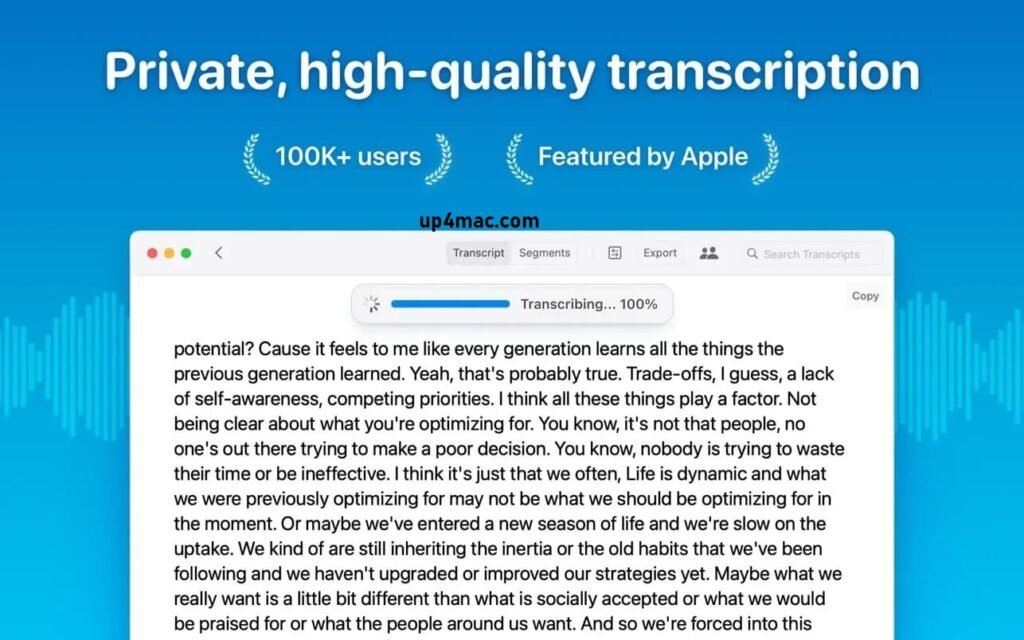
- On-Device Processing: 100% local transcription; no data is transferred from your computer.
- Fast and Accurate: Get text much faster than real-time with Metal and GPU acceleration (system dependent).
- Search and Edit: Highlight, edit, and delete sections of the transcript.
- Audio Playback: Sync playback with the transcript for easy review.
- Multi-Language Support: Transcribe in over 100 languages (fastest in English).
- Subtitle Export: Save transcripts as .srt and .vtt files.
- Batch Processing and System Audio Capture: Transcribe multiple files simultaneously and capture system audio (Zoom calls, podcasts, etc.).
- Flexible Output: Export transcripts to Word, PDF, HTML, and subtitles.
- Speaker Separation: Detect and separate transcripts by speaker.
- Reading Mode: Focused reading experience.
- Advanced Model Support: Choose from multiple models for different levels of accuracy and speed. Supported
- Formats: Compatible with MP3, WAV, M4A, MP4, MOV, OGG, OPUS, and more.
- Pro Unlock: Upgrade to enjoy industry-leading transcription quality with mid and large models, batch processing, system audio recording, podcast transcription, and more.
What’s New:
Version 13.13
- New and improved history screen design makes it easier to find the transcripts and dictations you’re looking for.
- Export word-level timestamps by selecting “Words” in the group selector.
- View recently deleted transcripts and easily restore them.
- Integrations can now also be enabled from files in the “Inspection” folder.
- Improved scrolling and search performance.
- Improved YouTube download stability.
- Transcripts load 10% faster.
- Easily select multiple transcripts and export or delete them in bulk.
- Change the language on the fly from the live captions window.
- Improved translation flow during live captions.
- Improved DeepL implementation to avoid changes to its API.
- You can now rename the recorded app in the app audio. Added compatibility with Opus 4.6.
- Delete selected items using keyboard shortcuts.
- Fixed an issue where ignored segments could not be saved in some cases.
- When a history file is on another computer that cannot be accessed, the application no longer hangs for an extended period of time.
you can also download: Final Cut Pro 12.0 for Mac
Screenshots:
Supported Languages:
Whisper for Mac can transcribe audio in 100 different languages:
English, Chinese, German, Spanish, Russian, Korean, French, Japanese, Portuguese, Turkish, Polish, Catalan, Dutch, Arabic, Swedish, Italian, Indonesian, Hindi, Finnish, Vietnamese, Hebrew, Ukrainian, Greek, Malay, Czech, Romanian, Danish, Hungarian, Tamil, Norwegian, Thai, Urdu, Croatian, Bulgarian, Lithuanian, Latin, Maori, Malayalam, Welsh, Slovak, Telugu, Persian, Latvian, Bengali, Serbian, Azerbaijani, Slovenian, Kannada, Estonian, Macedonian, Breton, Basque, Icelandic, Armenian, Nepali, Mongolian, Bosnian, Kazakh, Albanian, Swahili, Galician, Marathi, Punjabi, Sinhalese, Khmer, Shona Yoruba, Somali, Afrikaans, Occitan, Georgian, Belarusian, Tajik, Sindhi, Gujarati and Amharic. Yiddish, Laotian, Uzbek, Faroese, Haitian Creole, Pashto, Turkmen, Nynorsk, Maltese, Sanskrit, Luxembourgish, Burmese, Tibetan, Tagalog, Malagasy, Assamese, Tatar, Hawaiian, Lingala, Hausa, Bashkir, Javanese and Sundanese.
System Requirements:
- Operating System: macOS 10.15 (Catalina) or later
- Processor: Mac with Intel or Apple Silicon
- RAM: 4 GB
- Disk Space: 500 MB of free storage
- Audio Input: Microphone for live transcription
Use Cases and Practical Applications
Whisper Transcription is designed to meet a wide range of professional and personal needs, including:
- Journalists: Transcribe interviews quickly and accurately.
- Podcasters: Convert audio episodes to text for blogs and captions.
- Students: Create class notes effortlessly.
- Researchers: Analyze spoken data with accurate transcripts.
- Business professionals: Document meetings and presentations efficiently.
Conclusion
Whisper Transcription 13.13 for MacOS is a powerful, reliable, and feature-rich transcription solution that meets the needs of both modern professionals and everyday users. With its high accuracy, multilingual support, offline transcription, and seamless macOS integration, it offers a complete speech-to-text experience.
HomePage: https://up4mac.com/
Leave a Reply