
Xliff Editor 3.3.2 for MacOS Download

XLIFF Editor 3.3.2 for macOS is a professional localization tool designed specifically for editing, managing, and validating XLIFF files. Developed with a native macOS interface, it offers a streamlined workflow for translators and developers who need accuracy, speed, and clarity when managing multilingual projects. Whether you work on app localization, website translation, or software internationalization, XLIFF Editor provides the necessary tools to manage translation files accurately.
In this detailed article, we’ll take an in-depth look at XLIFF Editor 3.3.2, covering its main features, latest updates, system requirements, advantages and disadvantages, and its overall value for both localization professionals and general users. you can also download: OmniReader Pro for MacOS
Key Features of XLIFF Editor for macOS
XLIFF Editor is designed to simplify complex localization workflows while maintaining complete control over translation data. Below are the key features that make XLIFF Editor 3.3.2 for macOS a preferred choice.
Native macOS Experience
- XLIFF Editor is designed specifically for macOS and offers a clean, intuitive, and responsive interface. It follows Apple’s design guidelines, ensuring a smooth user experience and seamless integration with system features such as Dark Mode and keyboard shortcuts.
Full XLIFF Format Support
- The application supports multiple versions of the XLIFF standard, allowing users to open, edit, and save XLIFF files without compatibility issues. This makes it ideal for a wide range of localization projects across different platforms.
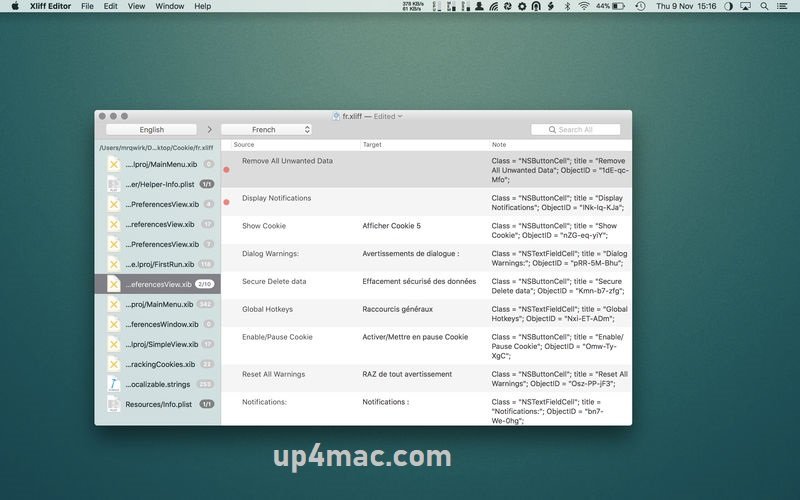
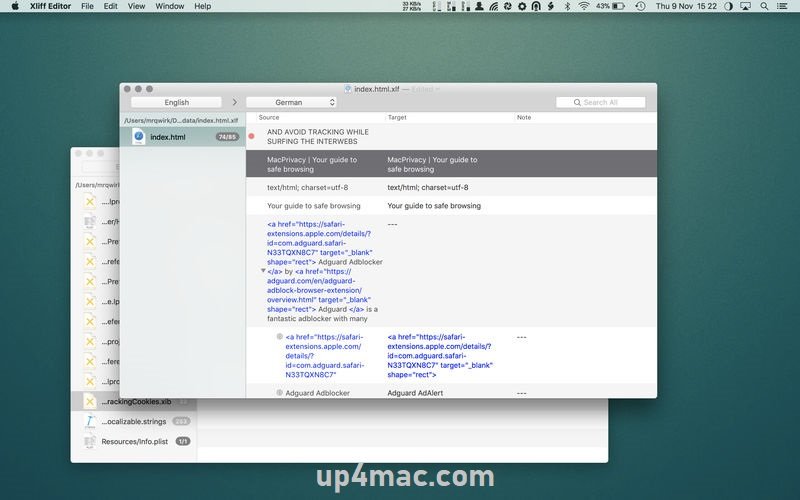
Side-by-Side Translation View
- XLIFF Editor provides a clear side-by-side view of the source and target text. This design helps translators maintain context and accuracy when working with large translation files.
Powerful Search and Filtering Tools
- Users can quickly search for specific strings, untranslated segments, or flagged entries. Advanced filtering options allow localization teams to efficiently focus on incomplete or problematic translations.
Validation and Error Detection
- To ensure high-quality translations, XLIFF Editor includes built-in validation tools. These tools detect missing translations, formatting issues, and structural errors that could cause problems during software compilation or deployment.
Comment and Note Support
- Translators can view and add developer notes or comments directly to the file. This feature improves collaboration between developers and translators by providing context and clarification for complex strings.
Character and Encoding Support
- XLIFF Editor supports multiple character encodings and languages, making it ideal for global projects with non-Latin alphabets and multilingual content.
Fast performance with large files
- The application is optimized to handle large XLIFF files without delays. Even projects with thousands of translation units load and edit smoothly.
You Can Also Download: Querious 4.2.3 for MacOS
Screenshots:
What’s New in XLIFF Editor 3.3.2
The XLIFF Editor 3.3.2 update focuses on improving stability, usability, and compatibility with modern macOS versions.
Improved Stability
- This version addresses minor bugs and inconsistencies reported in previous versions, especially when working with large or complex XLIFF files.
Improved macOS Compatibility
- XLIFF Editor 3.3.2 includes updates that ensure smooth operation on the latest macOS versions, while maintaining compatibility with system-level changes and security updates.
Faster File Loading
- File analysis and loading speeds have been optimized, reducing wait times when opening large localization projects.
Interface Improvements
- Subtle interface improvements enhance readability and navigation, making long translation sessions more comfortable and efficient.
Bug fixes and minor improvements
- Several internal improvements enhance overall performance and reliability, ensuring a smoother localization workflow.
System Requirements
Before installing XLIFF Editor 3.3.2, users must ensure their Mac meets the following requirements:
Minimum Requirements
- Operating System: macOS 10.13 (High Sierra) or later
- Processor: Mac with an Intel or Apple Silicon processor (via Rosetta if required)
- RAM: 4 GB
- Storage: 100 MB of free disk space
- Display: Standard resolution supported by macOS
Recommended Requirements
- Operating System: macOS 11 (Big Sur) or later
- Processor: Apple Silicon or modern Intel processor
- RAM: 8 GB or more
- Storage: SSD with at least 200 MB of free space
- Display: Retina display for improved text clarity
Pros and Cons of XLIFF Editor for macOS
Evaluating the advantages and limitations of XLIFF Editor can help users determine whether it fits their localization needs.
Pros
- Native macOS interface with smooth performance
- Full support for XLIFF standards
- Clear side-by-side translation layout
- Powerful search, filter, and validation tools
- Handles large files efficiently
- Suitable for both translators and developers
Cons
- Focused specifically on XLIFF, not a general translation tool
- Advanced localization automation may be limited compared to enterprise solutions
- Requires familiarity with localization workflows for maximum efficiency
Conclusion
XLIFF Editor 3.3.2 for macOS is a reliable and efficient localization tool designed for professionals working with XLIFF files. Its native macOS design, powerful editing features, and validation tools make it an excellent choice for translators, developers, and localization teams seeking accuracy and productivity.
The latest updates improve stability, performance, and compatibility, ensuring the software’s reliability on modern macOS systems. While it focuses exclusively on XLIFF workflows, this specialization is also its greatest strength, offering a streamlined experience free of unnecessary complexity.
Homepage: https://up4mac.com/
Leave a Reply