
MouseBoost Pro 4.2.0 for MacOS Download

MouseBoost Pro 4 for MacOS is a powerful utility aimed at professionals, power users, developers, designers, and everyday Mac users who want greater control over mouse actions. By enabling advanced gestures, custom shortcuts, and precise control, it helps users save time and work more efficiently. Version 4.2.0 focuses on stability, performance, and compatibility with the latest macOS versions, making it a reliable tool for modern workflows.
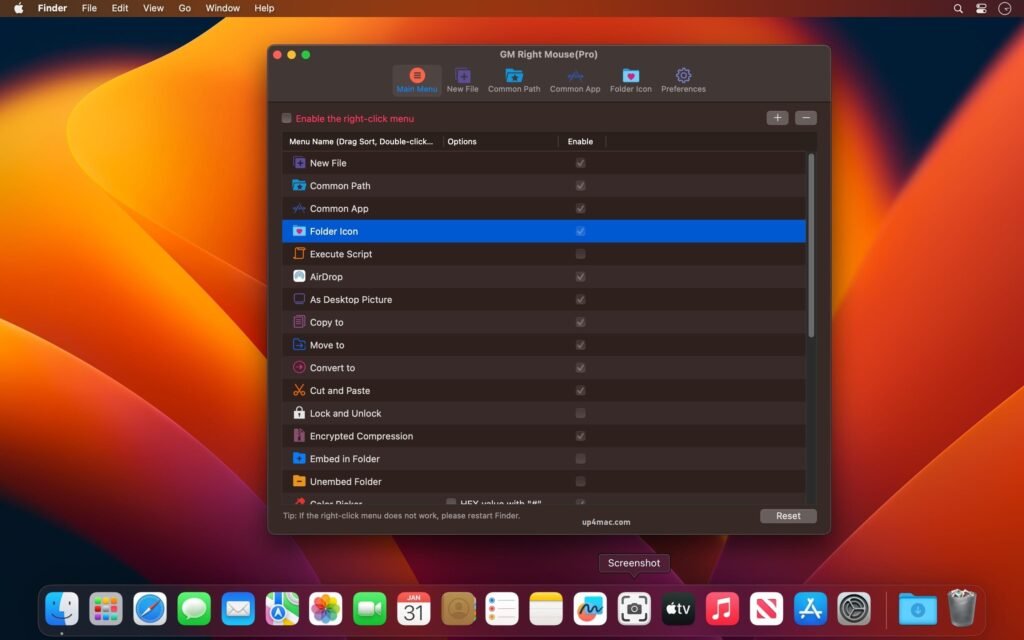
MouseBoost Pro integrates more than 30 kinds of small tools, and the operation method is very simple. As long as you right-click the mouse, you can activate all kinds of functions you want, so that your work efficiency is greatly improved.
Key Features of MouseBoost Pro for macOS 4.2.0
MouseBoost Pro offers a wide range of features designed to extend the functionality of standard mice and trackpads. Below are the key features that make this software a popular choice among Mac users.
Advanced Mouse Gestures
- One of MouseBoost Pro’s standout features is its support for customizable mouse gestures. Users can assign specific actions to mouse movements combined with button clicks. For example, drawing a simple gesture can trigger actions such as switching applications, closing windows, or launching frequently used tools.
- These gestures significantly reduce reliance on keyboard shortcuts and menu navigation, resulting in a faster and smoother workflow.
Custom Shortcut Assignment
- MouseBoost Pro allows users to remap mouse buttons and assign custom shortcuts to different actions. This is especially beneficial for users with multi-button mice. Commands like copy, paste, undo, redo, and switch applications can be executed with a single click, improving productivity across various applications.
Enhanced Scrolling and Cursor Control
- The software offers precise control over scrolling behavior and cursor movement. Users can adjust scrolling speed, acceleration, and sensitivity to suit their preferences. This feature is especially useful for designers, editors, and developers who require precise cursor movement.
Application-Specific Configuration
- MouseBoost Pro allows for application-specific customization. This means users can define different mouse behaviors for different applications. For example, a designer might use specific gestures in graphic design software, while a developer might assign different shortcuts in a code editor. This flexibility ensures optimized performance across all workflows.
Lightweight and Resource-Efficient Design
- Despite its advanced functionality, MouseBoost Pro is lightweight and runs efficiently in the background. It doesn’t consume excessive system resources, ensuring smooth overall Mac performance even during intensive tasks.
Seamless macOS Integration
- Designed specifically for macOS, MouseBoost Pro integrates seamlessly with system settings and permissions. It works well with both standard Apple mice and third-party devices, delivering consistent performance across various hardware configurations.
What’s New in MouseBoost Pro for macOS 4.2.0
Version 4.2.0 introduces improvements that optimize usability, stability, and compatibility. These updates ensure the software continues to meet the expectations of modern macOS users.
Improved macOS Compatibility
- MouseBoost Pro 4.2.0 is optimized for the latest versions of macOS. Improved system integration ensures smoother operation, reduces permission-related issues, and improves long-term reliability.
Performance and Stability Improvements
- This update focuses on improving background performance and reducing potential crashes. Mouse gestures and shortcuts respond more consistently, even during extended use sessions.
Bug Fixes and Minor Improvements
- Several minor bugs reported in previous versions have been fixed. These fixes improve the accuracy of gesture recognition and ensure smoother interaction with third-party mice.
Improved Device Recognition
- The latest version improves compatibility with a wider range of mice. This ensures more reliable button detection and gesture execution across different hardware models.
you can also download: OmniReader Pro for MacOS
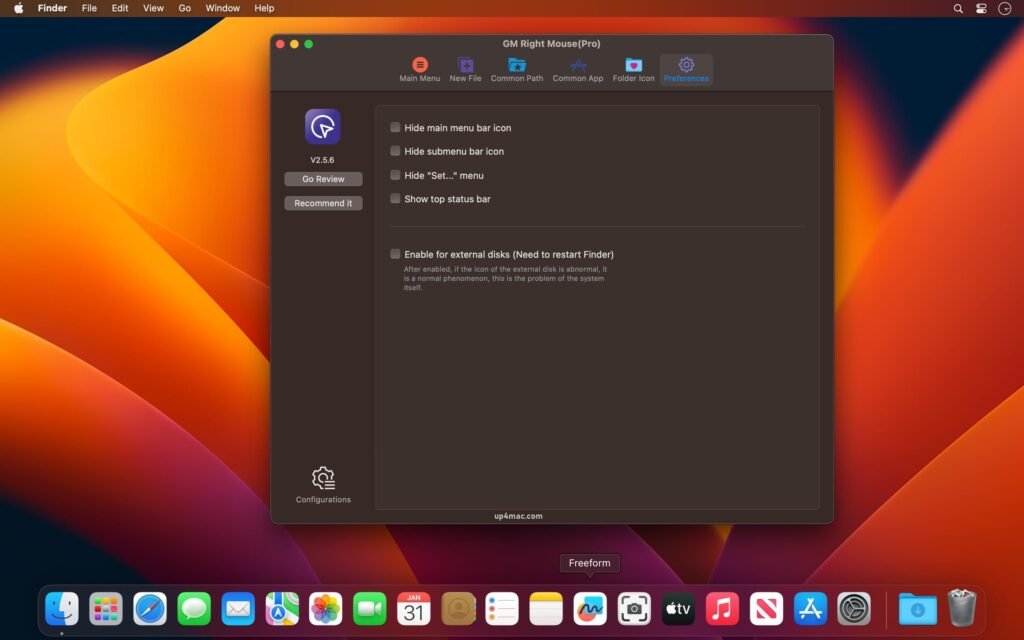
Screenshots:
System Requirements for MouseBoost Pro on macOS 4.2.0
Before installing MouseBoost Pro, it’s important to ensure your Mac meets the system requirements. Proper compatibility guarantees optimal performance and reliability.
Minimum System Requirements
- Operating System: macOS compatible with MouseBoost Pro 4.2.0
- Processor: Mac with an Intel or Apple Silicon processor
- RAM: 2 GB minimum
- Storage: At least 100 MB of available disk space
- Input Device: Mouse or trackpad
These minimum requirements are sufficient for basic use and gesture customization.
Recommended System Requirements
- Operating System: Latest supported version of macOS
- Processor: Apple Silicon (M1, M2, or later) or high-performance Intel processor
- RAM: 4 GB or more
- Storage: SSD with sufficient free space
- Input Device: Multi-button mouse for advanced customization
Advantages and Disadvantages of MouseBoost Pro for macOS 4.2.0
Understanding the advantages and disadvantages of MouseBoost Pro helps users determine if it fits their workflow.
Advantages
- Powerful and customizable mouse gestures
- Support for application-specific shortcuts
- Improves workflow productivity and efficiency
- Lightweight and resource-efficient
- Compatible with a wide range of mice
- Optimized for modern macOS versions
Disadvantages
- Requires initial setup and a learning curve
- Limited benefit for users who primarily rely on keyboard shortcuts
- Exclusive to macOS
Conclusion
MouseBoost Pro for macOS 4.2.0 is a highly effective productivity tool for users who want greater control over mouse behavior and system navigation. By enabling advanced gestures, customizable shortcuts, and precise control, it significantly improves daily interaction with macOS.
Homepage: https://up4mac.com/
Leave a Reply