
4K Video Downloader Plus Pro 26.1.4 For MacOS

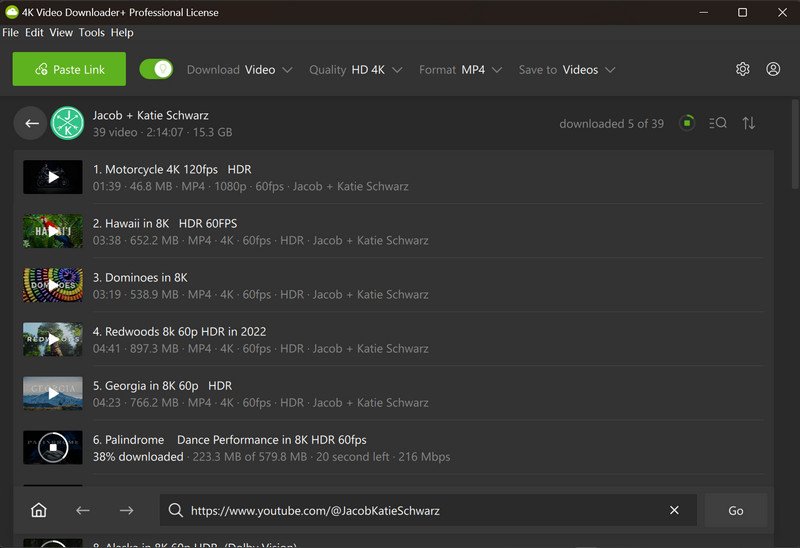
4K Video Downloader Plus Pro 26.1.4 for macOS is a premium video downloader and media management application developed by 4K Download. This software allows you to download videos, playlists, channels, subtitles, audio tracks, and some private content from supported platforms, with support for resolutions up to 8K (where available). It also includes subscription management, built-in browsing features, proxy support, and new AI-powered media processing tools.
Version 26.1.4 is the latest maintenance update in the 26.1 series. It focuses on download reliability, platform compatibility, bug fixes, and workflow improvements, building upon the significant AI enhancements introduced in version 26.1.0.
Key Features of 4K Video Downloader Plus Pro 26.1.4:
High-Resolution Video Download
The software allows you to download videos in multiple resolutions, including:
- 720p
- 1080p
- 1440p
- 4K
- 8K
Users can save videos locally for offline viewing, preserving the available quality options.
Playlist and Channel Download
One of the application’s most powerful features is batch downloading.
Users can:
- Download entire YouTube playlists
- Save entire channels
- Archive creator libraries
- Download “Watch Later” playlists
- Save “Like” playlists
The software can also automatically monitor the channels you’re subscribed to for newly uploaded content.
Audio Extraction
The application allows you to extract audio from compatible video sources.
Common Formats:
- MP3
- M4A
- OGG
This feature is useful for podcasts, lectures, interviews, and music content, where permitted by law.
Subtitle Download Support
Users can download subtitles separately or along with the videos.
Features:
- Subtitle Export in SRT Format
- Multilingual Subtitle Support
- Subtitle Download from Playlists
- Subtitle Embedding Options
These features make the software useful for educational and accessibility purposes.
Built-in Browser
Recent versions of 4K Video Downloader Plus include a built-in browser.
Advantages:
- Access to content protected with login credentials
- Account management directly within the application
- Download of supported private media files
- Simplified workflow management
The redesigned browser offers greater compatibility with modern websites and authentication systems.
AI-Powered Processing Tools
Version 26.1 introduced AI-assisted media processing features.
Available Tools:
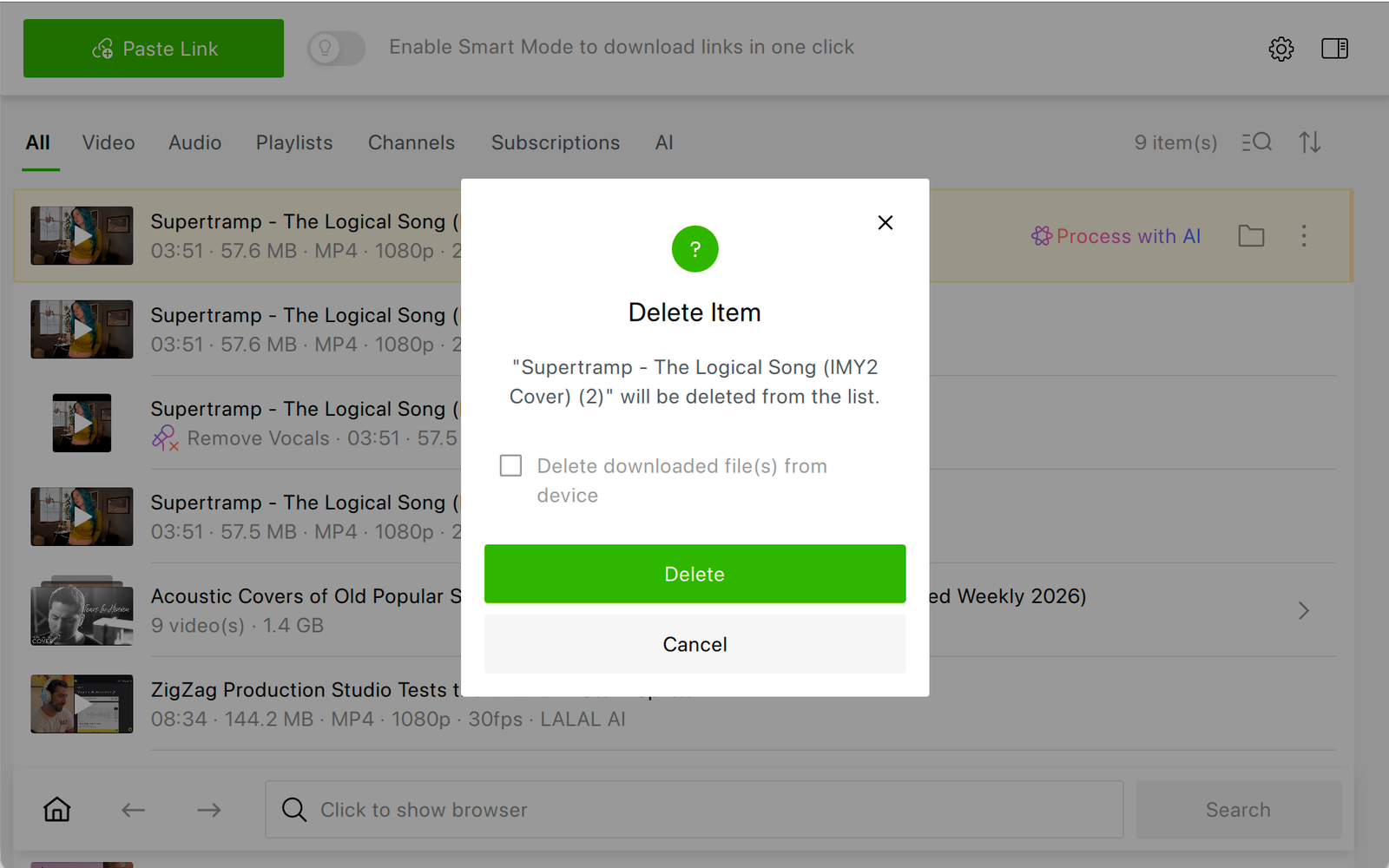
- Voice Removal
- Voice Extraction
- Voice Isolation
- Echo Reduction
- AI Basic Audio Cleanup
These features allow users to perform light media processing directly within the application.
Smart Mode Automation
Smart Mode allows users to automatically apply predefined download settings.
Available Options:
- Preferred Resolution
- Preferred Format
- Audio Settings
- Download Destination
This simplifies repetitive download tasks.
Proxy Support
The software includes built-in proxy settings.
Benefits:
- Network Flexibility
- Improved Access Management
- Compatibility with Restricted Environments
Proxy functionality is integrated into the application.
What’s New in Version 26.1.4?
Improved YouTube Analysis
Version 26.1.4 improves the handling of active live streams by correctly ignoring incompatible content during analysis, thus preventing download interruptions.
Bilibili Download Fixes
This version fixes issues affecting 720p and 1080p downloads on Bilibili when users were offline.
Rumble Compatibility Improvements
A “403 Forbidden” analysis error affecting Rumble content has been fixed, improving compatibility with the platform.
Expanded AI Workflow
The expanded 26.1 series introduced built-in AI media processing tools that significantly extend functionality beyond traditional downloading.
Stability Improvements on macOS
Recent 26.1 releases have addressed several macOS-specific issues, including:
- Settings are retained after updates
- License state is preserved
- Improved browser behavior
- Improved user interface
- Improved menu functionality
These changes improve reliability on macOS systems.
Screenshots:
System Requirements:
Minimum System Requirements:
- Operating System: macOS 10.13 High Sierra or later
- Processor: Intel Mac, Apple Silicon (M1, M2, M3, M4)
- RAM: 4 GB
- Storage: Approximately 300 MB of free space
Current releases support Intel and Apple Silicon processors.
Recommended Configuration
- Operating System: macOS Sonoma, macOS Sequoia.
- Processor: Apple Silicon
- RAM: 8 GB or more
- Storage: SSD recommended
These specifications provide an optimal experience for managing large playlists and high-resolution downloads.
Advantages and Disadvantages:
Advantages:
- Cross-platform compatibility
- Works with many popular video and audio services.
- Simplifies access to password-protected content.
- Supports downloads up to 8K (where available).
- Compatibility with Apple Silicon processors
- Native support for recent Mac hardware.
Disadvantages:
- Some features require a paid license.
- Advanced features are primarily intended for paying users.
- Changes to the platform may occasionally affect downloads.
- This depends on the supported services.
- Features may vary depending on changes made by each platform.
Conclusion:
4K Video Downloader Plus Pro 26.1.4 delivers excellent performance on modern macOS systems, especially those with Apple Silicon processors. Downloads are generally fast, subscription management is efficient, and the interface remains accessible to both beginners and advanced users.
Leave a Reply