
Sensei 2.1.1 For MacOS Download

Sensei 2.1.1 for macOS is a comprehensive monitoring, maintenance, and optimization utility for Mac, developed by Cindori. This software combines hardware monitoring, storage management, system cleanup, application uninstallation, battery analysis, SSD diagnostics, temperature monitoring, startup optimization, and detailed system reports, all within a modern macOS interface.
Unlike many generic “cleanup” applications, Sensei focuses on providing visibility into hardware and software performance while offering practical maintenance tools. It has become a popular choice among Mac enthusiasts looking for an alternative to utilities like iStat Menus, CleanMyMac, and AppCleaner.
Version 2.1.1 builds upon the recently redesigned Sensei 2.x generation, with improvements to monitoring, hardware detection, storage reporting, Apple Silicon processor support, and overall stability.
Key Features of Sensei 2.1.1:
Performance Dashboard
Sensei offers a centralized dashboard that displays important system information.
Users can monitor:
- CPU usage
- GPU activity
- Memory usage
- Storage usage
- System performance indicators
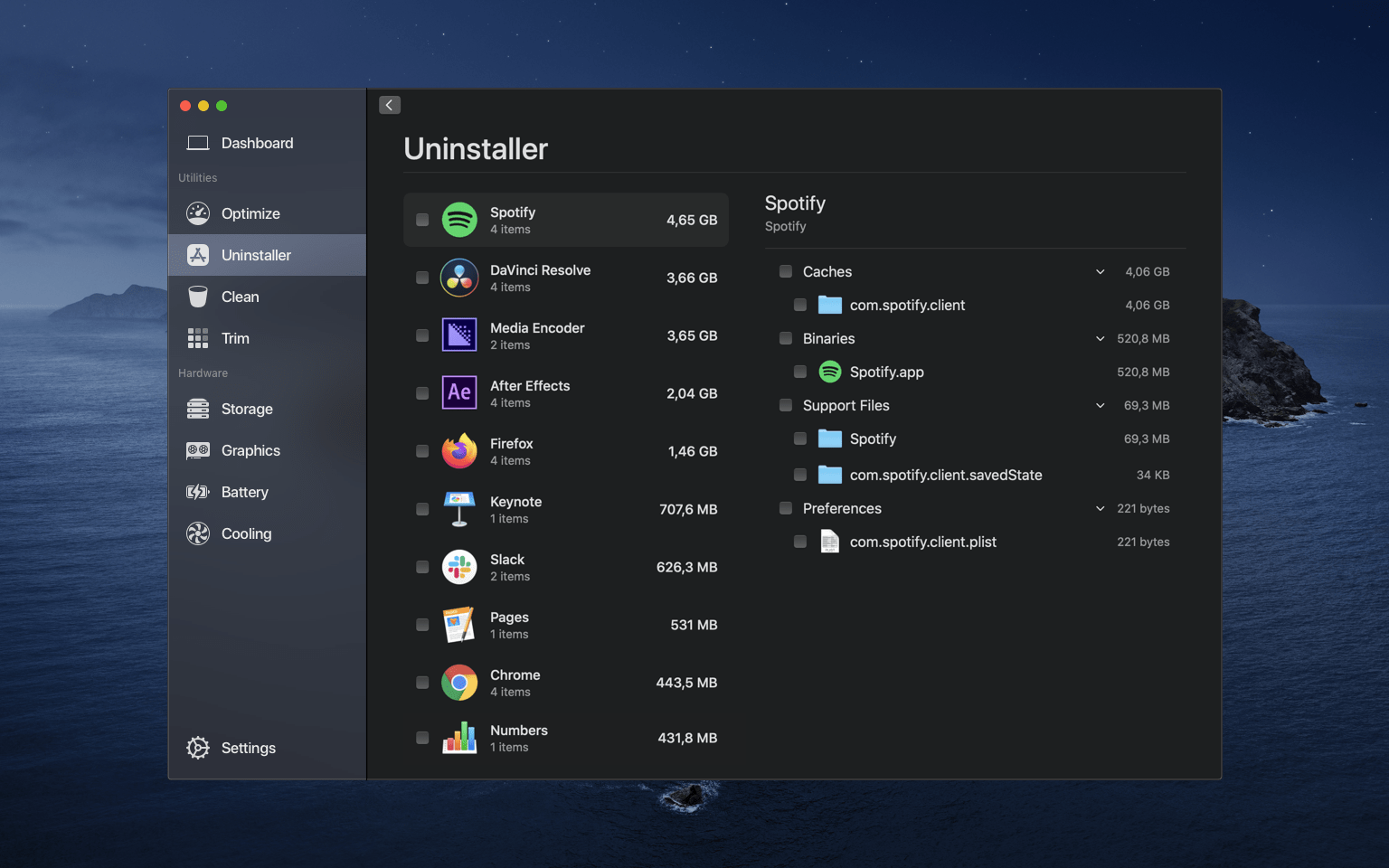
Application Uninstaller
Sensei includes a dedicated application uninstaller.
Features:
- Complete application removal
- Cleaning of associated files
- Detection of residual files
- Batch uninstallation support
Battery Health Analyzer
Laptop users benefit from detailed battery diagnostics.
Information included:
- Battery status
- Number of charge/discharge cycles
- Capacity
- Charging statistics
- Wear analysis
Thermal Panel
Sensei provides real-time thermal monitoring.
Users can view:
- CPU temperatures
- GPU temperatures
- Internal sensors
- Thermal trends
- Cooling performance
CPU, GPU, and RAM Monitoring
Detailed hardware monitoring includes:
- CPU Activity
- GPU Utilization
- RAM Consumption
- Real-time Statistics
- History
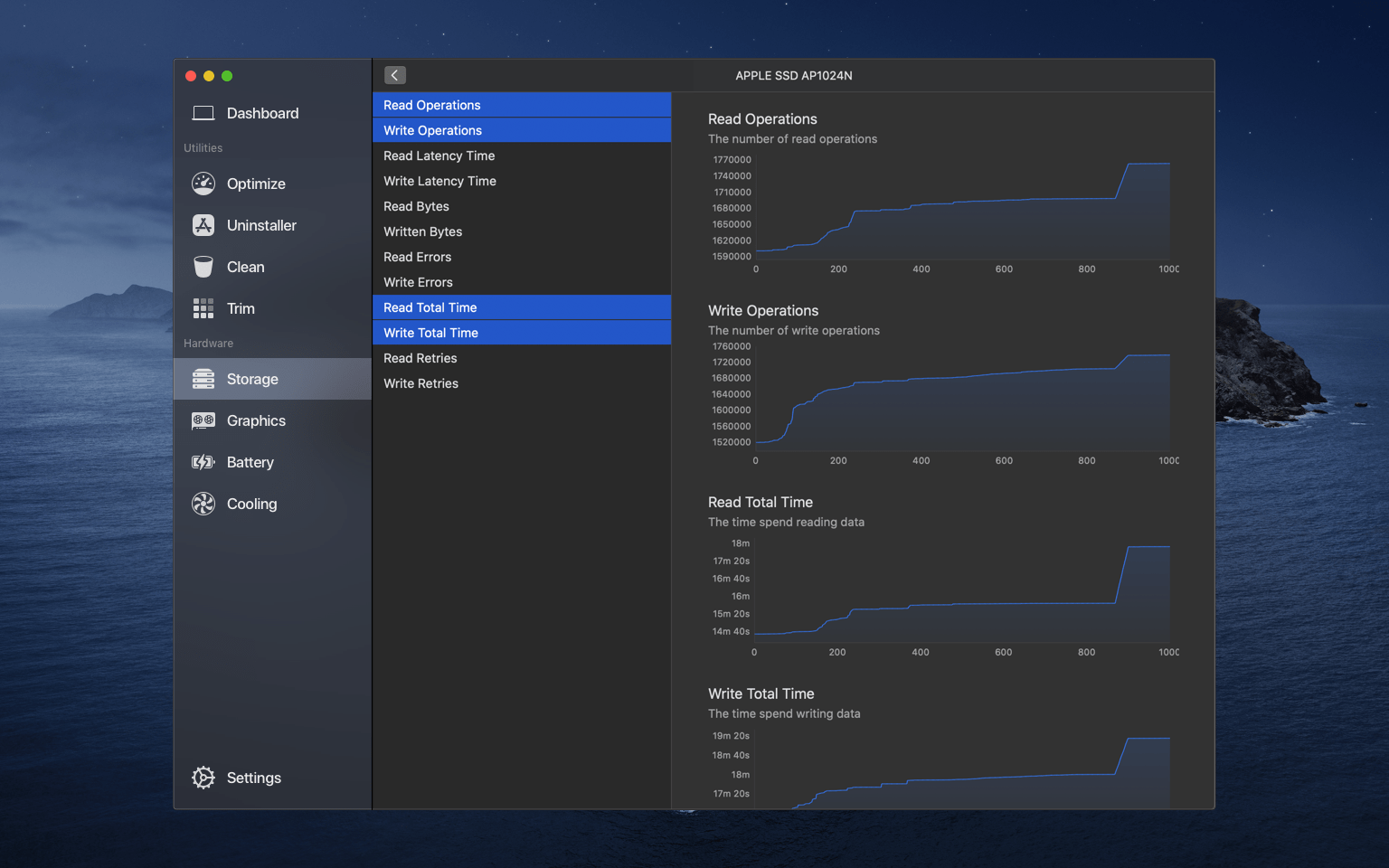
Disk Health Reports
The software includes diagnostics for storage devices.
Features:
- SSD Health Analysis
- Hard Drive Health Reports
- S.M.A.R.T. Monitoring
- Disk Comparative Analysis
- Storage Performance Metrics
Boot Optimization
Sensei helps users manage startup items and background services.
Benefits:
- Faster Boot Time
- Fewer Background Tasks
- Startup Item Management
- Optimized Login
What’s New in Version 2.1.1?
Redesigned Sensei Monitor
Version 2.1 reintegrates Sensei Monitor as a dedicated application in the menu bar, allowing the main Sensei application to function independently like a standard macOS application.
Improved Hardware Detection
Support for recent Mac models has been expanded, ensuring more accurate reports on modern Apple Silicon systems.
Enhanced Support for Apple Silicon Sensors
Temperature monitoring has been improved with optimized sensor detection on Macs equipped with Apple Silicon processors.
Benefits:
- Improved Sensor Visibility
- Increased Accuracy
- Improved Filtering of Duplicate Readings
- Improved Thermal Reports
- Improved Storage Reports
Improved Reliability During Sleep and Wake-Up
Sensei Monitor and real-time graphs now resume updates more reliably after waking from sleep.
Stability Improvements
Version 2.1.x addresses several issues, including:
- Application Closing Behavior
- Startup Management
- Menu Panel Behavior
- Optimizer Reliability
Background Monitoring Improvements
Screenshots:
System Requirements:
Minimum System Requirements:
- Operating System: macOS 14 Sonoma or later
- Processor: Intel 64-bit for Mac, Apple Silicon (M1, M2, M3, M4)
- RAM: 4 GB minimum
- Disk Space: Approximately 40 MB free space
Current versions are officially intended for recent versions of macOS.
Recommended Configuration:
- Operating System: macOS Sonoma, macOS Sequoia
- Processor: Apple Silicon
- RAM: 8 GB or more
- Disk Space: SSD recommended
These specifications provide an optimal experience for continuous monitoring and diagnostics.
Advantages and Disadvantages:
Advantages:
- Accurate Hardware Reports
- Optimal Apple Silicon Compatibility
- Powerful Storage Management Tools
- Built-in Application Uninstaller
- Sleek User Interface
Disadvantages:
- Some users find Sensei relatively expensive compared to similar tools.
- Advanced features may be unnecessary for casual users.
- Many features are geared towards enthusiasts and advanced users.
- Older Macs running earlier versions of macOS are not officially supported.
Conclusion:
Sensei 2.1.1 for macOS is a comprehensive and powerful software suite for monitoring and optimizing your Mac. It combines performance tracking, hardware diagnostics, storage management, application uninstallation, battery analysis, and thermal monitoring in a sleek interface. Recent updates further improve compatibility with Apple Silicon processors, storage reporting, monitoring reliability, and system compatibility.
Leave a Reply