
App Cleaner & Uninstaller Pro 9.2.2 For MacOS Download

App Cleaner & Uninstaller Pro 9.2.2, developed by Nektony, is a specialized application management tool for macOS. It’s designed to completely uninstall applications and manage startup items, extensions, updates, and residual files from previously uninstalled applications. In recent versions, the software has evolved from a simple uninstaller to a more comprehensive application management suite, incorporating update tracking, security auditing, and privacy monitoring.
This software is intended for:
- Mac users who frequently install and uninstall software
- Advanced users and developers
- IT administrators
- Creative professionals
- Users who manage long-term macOS installations
Version 9.2.2 follows in the footsteps of modern 9.x versions, emphasizing comprehensive application management, automated cleanup, and improved system visibility.
Main Features of App Cleaner & Uninstaller Pro 9.2.2
Complete Application Removal
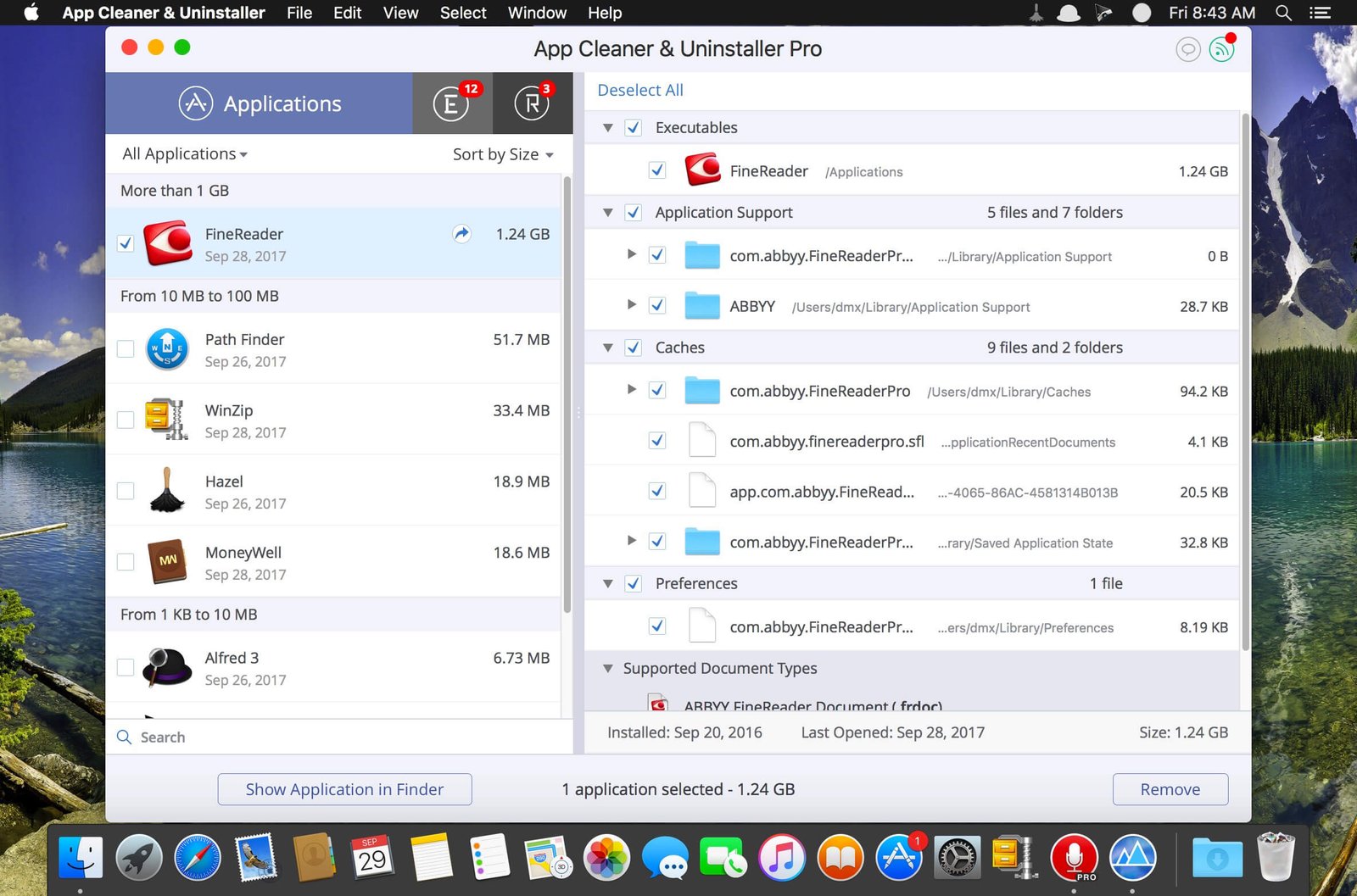
The main feature of App Cleaner & Uninstaller is the complete removal of applications.
Instead of simply removing an application package, the software locates associated files, such as:
- Caches
- Preferences
- Registry entries
- Support files
- Containers
- Launchers
This helps prevent the accumulation of residual files after uninstallation.
Cleaning Up Leftover Files
The application can identify residual files left behind by previously uninstalled software.
This allows users to:
- Find orphaned files
- Remove obsolete support data
- Reclaim storage space
- Reduce system clutter
The “Leftover Files” module has been identified as one of the most significant improvements in recent versions.
Startup Program Management
App Cleaner & Uninstaller provides visibility into startup and background processes.
Users can manage:
- Opening Items
- Background Applications
- Startup Agents
- Startup Daemons
This helps improve startup performance and gives users more control over programs that launch automatically with macOS.
Extension Management
The software includes tools for managing macOS extensions and add-ons.
Supported Items:
- Browser Extensions
- Widgets
- Preferences Panels
- System Extensions
- Internet Plugins
Everything is presented from a centralized interface for simplified management.
Integrated Update Manager
One of the key new features in recent versions is an integrated update manager.
This manager can detect updates for:
- App Store apps
- Developer websites
- Homebrew packages
- Sparkle-based apps
- Electron apps
- Software distributed via GitHub
Bulk Updates
Users can update multiple apps simultaneously.
Benefits:
- Reduced maintenance time
- Centralized update management
- Faster software maintenance
- Simplified patch management
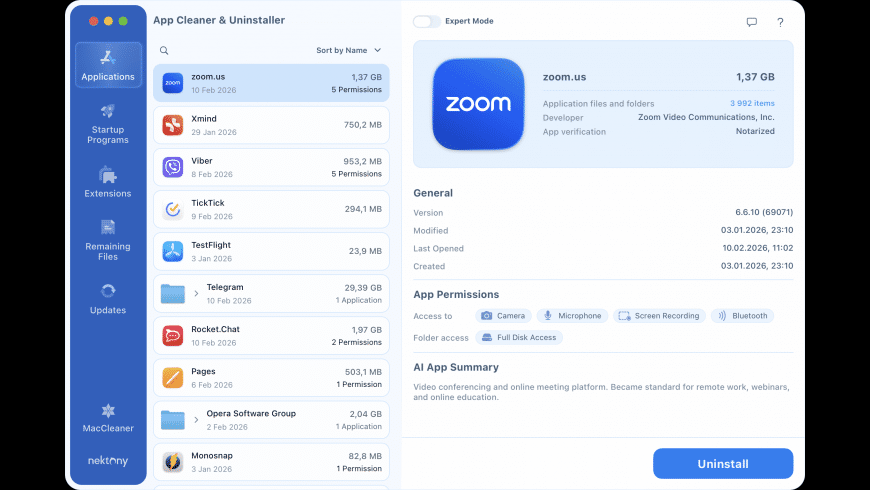
Privacy Permission Auditing
Recent versions include privacy monitoring tools.
The software can display app access to the following:
- Camera
- Microphone
- Photos
- Location services
- Full disk access
Bulk Application Removal
The software allows you to remove multiple applications simultaneously.
Benefits:
- Faster cleanup
- Storage space reclamation
- Simplified software maintenance
- Efficient system management
Bulk removal is especially useful after testing multiple applications.
What’s New in Version 9.2.2?
Expanded Functionality Beyond Uninstallation
The new 9.x generation transforms App Cleaner & Uninstaller from a traditional uninstaller into a comprehensive application management platform. It integrates updates, security auditing, privacy controls, and application analysis.
Improved Detection of Hidden Files
Recent versions improve the detection of service files, support containers, launch agents, and application remnants for more thorough removal.
Expanded Update Coverage
The integrated update system now supports multiple update frameworks and thousands of third-party applications, significantly expanding software maintenance capabilities.
Security and Trust Features
New privacy dashboards and certification checks provide greater visibility into installed applications and their system access permissions.
Continuous Stability Improvements
Version 9.2.2 continues the improvements of the 9.x series with compatibility updates, bug fixes, and performance optimizations.
Screenshots:
System Requirements:
Minimum System Requirements:
- Operating System: macOS 12 Monterey or later
- Processor: Intel Mac, Apple Silicon (M1, M2, M3, M4)
- RAM: 4 GB minimum
- Storage: Approximately 40 MB of free space
Version 9.2.2 is compatible with Intel and Apple Silicon systems.
Recommended System Requirements:
- Operating System: macOS Sonoma, Sequoia, or later
- Processor: Apple Silicon
- RAM: 8 GB or more
- Storage: SSD
These specifications offer an optimal experience for managing large application libraries.
Advantages and Disadvantages:
Advantages:
- Complete Application Removal
- Removes associated service files, not just application packages.
- Excellent Residual File Detection
- Useful for cleaning up remnants of previously uninstalled applications.
- Integrated Software Update
- Combines cleanup and update management into a single application.
- Privacy and Security Audit
- Allows you to view permissions and certification status.
- Startup and Extension Management
- Offers more comprehensive system maintenance features than simple uninstallation.
- Apple Silicon Processor Compatibility
- Fully compatible with modern Mac hardware.
Disadvantages:
- Short Trial Perio
- Updates Could Be Improved
- Potentially Unnecessary Advanced Features for Occasional Users
- Subscription Options Potentially Not Suitable for Everyone
Conclusion:
App Cleaner & Uninstaller Pro 9.2.2 for macOS is no longer just an application uninstaller. It has become a complete application management platform that combines advanced uninstallation features, startup optimization, extension management, update tracking, privacy auditing, and security verification tools.
Leave a Reply