
Downie 4.12.6 For MacOS Download

Downie 4.12.6 for macOS is a professional video downloader designed exclusively for Mac users. Developed by Charlie Monroe Software, Downie allows you to download videos from thousands of websites using an intuitive drag-and-drop interface. It also offers advanced features such as playlist downloads, metadata extraction, post-processing, browser integration, and support for high-resolution videos.
This software is widely used for:
- Offline video viewing
- Managing media collections
- Extracting audio
- Downloading playlists
- Backing up content
One of Downie’s main advantages is its broad compatibility with over 1,000 websites and its regular updates to ensure compatibility with various video platforms. Version 4.12.6 continues the development of the Downie 4 series and offers web compatibility updates, metadata improvements, bug fixes, and performance optimizations.
Main Features of Downie 4.12.6:
Compatibility with Thousands of Websites
Downie lets you download videos from a wide variety of online platforms.
Supported Content Sources:
- Video Sharing Sites
- Educational Platforms
- News Sites
- Social Networks
- Streaming Portals
- Media Libraries
The list of supported sites is updated regularly.
High-Resolution Video Downloads
Downie lets you download high-quality videos when the source offers these formats.
You can download:
- HD Videos
- Full HD Videos
- 4K Videos
- Higher resolution formats, when available
Therefore, Downie is ideal for users looking for high-quality videos.
Intuitive Drag-and-Drop Operation
The software offers an intuitive interface.
Generally, you just need to:
- Copy the video URL
- Paste or drag and drop the URL into Downie
- Start the download
This ease of use makes the software accessible even to beginners.
Playlist Downloads
Downie can process playlists and collections from supported websites.
Advantages:
- Batch Downloads
- Channel Archiving
- Course Downloads
- Multi-Video Workflow
According to the community, Downie can manage entire video collections and video sections of channels on supported platforms.
Audio Extraction
The software includes post-processing tools that allow you to automatically extract audio from downloaded content.
Users can create:
- MP3 Files
- Audio-only versions
- Podcast files
- Music collections
without the need for additional conversion software.
Metadata Extraction
Downie can capture the metadata associated with downloaded content.
This metadata can include:
- Titles
- Descriptions
- Image
- Video information
- Source information
Recent updates continue to improve metadata management.
Browser Integration
Downie integrates with most popular web browsers.
This allows users to:
- Submit videos directly to Downie
- Download media quickly
- Reduce manual copy-and-paste tasks
- Integration improves everyday usability.
Video Post-Processing
Built-in post-processing tools allow you to automate actions after downloads are complete.
Examples:
- Format conversion
- Audio extraction
- Metadata insertion
- File organization
This helps automate repetitive tasks.
What’s New in Version 4.12.6?
Improved Web Compatibility
The latest versions improve compatibility with numerous websites and services.
Among the updates are enhanced compatibility with platforms such as:
- YouTube
- CNN
Various regional streaming services and many more.
Support for Resolution-Based File Names
The latest versions include support for the uploaded file name format, which can include information about the video resolution.
This allows users to better organize their uploaded content.
Improved Metadata Management
Metadata extraction has been improved to optimize:
- File organization
- Media library management
- Accuracy of download information
Stability Improvements
Version 4.12.x includes numerous bug fixes related to:
- Download reliability
- Post-processing issues
- Interface behavior
- Workflow consistency
User Interface Improvements
The latest updates improve:
- Context menu behavior
- Extraction workflows
- Download management
- for a smoother user experience.
Screenshots:
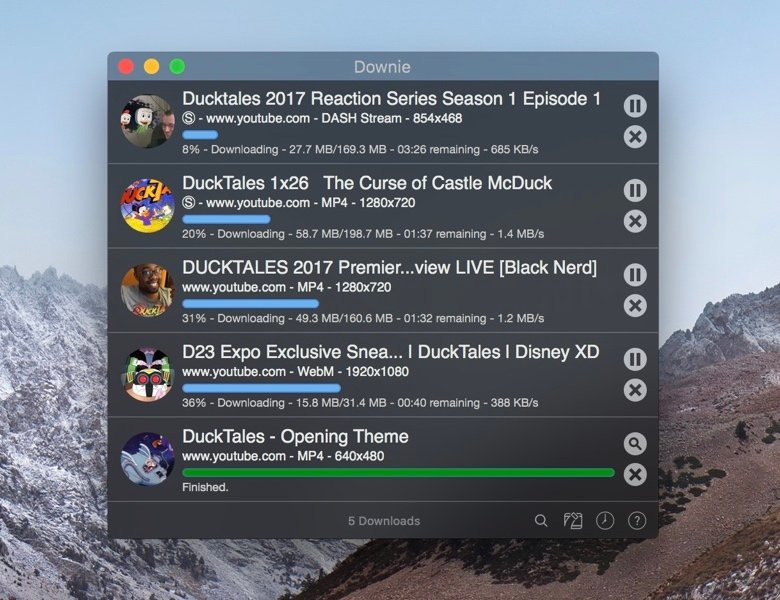
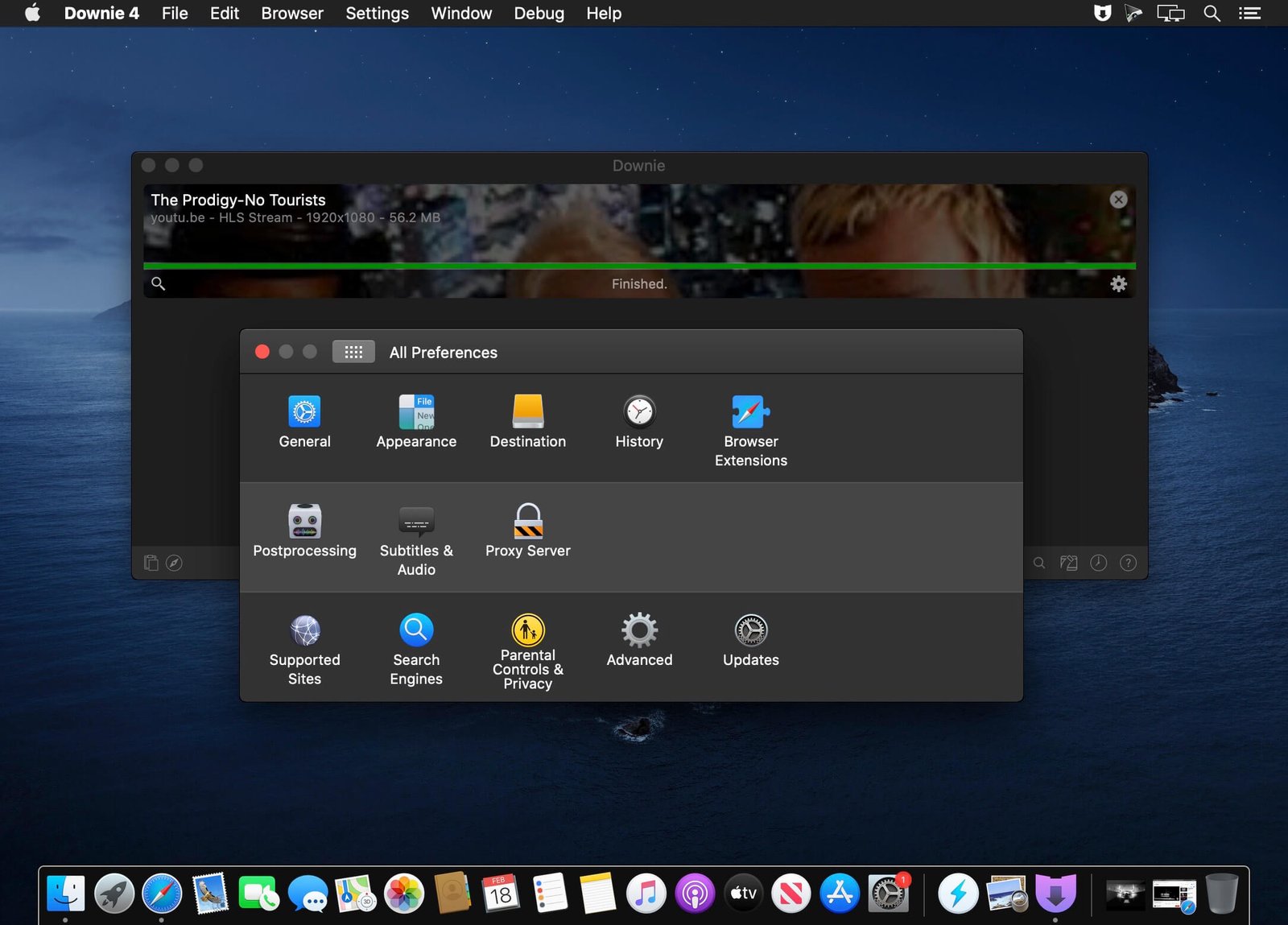
System Requirements:
Minimum System Requirements
Operating System: macOS 11 Big Sur or later
Processor: Intel Mac or Apple Silicon Mac
RAM: 4 GB minimum
Storage: Available disk space depending on download needs
Internet Connection: Required for downloading online content
Recent versions are distributed as UWP (Universal Windows Platform) apps compatible with Intel and Apple Silicon systems.
Recommended Configuration:
For an optimal experience:
Operating System: Latest version of macOS
Processor: Apple Silicon M-series processor
RAM: 8 GB or more
Storage: SSD recommended
Advantages and Disadvantages of Downie:
Advantages
- Excellent website compatibility
- Compatible with many websites.
- High-resolution downloads
- Simple drag-and-drop workflow.
- Useful for large content collections.
- Built-in media conversion tools.
- Designed specifically for macOS.
Disadvantages:
- Compatibility with some websites may change.
- Not available for Windows users.
- Download success depends on the source website.
- Not all websites allow downloading all of their content.
- Internet connection required
- Internet access is required to view content.
Conclusion:
Downie 4.12.6 for macOS is a powerful video downloader that combines simplicity, broad compatibility with many websites, high-quality downloads, metadata management, and automated post-processing, all within an optimal user experience on Mac.
Leave a Reply