
MacDroid Pro 2.9.1 For MacOS Download

MacDroid Pro 2.9.1 for macOS is a file transfer and device management utility that allows Mac users to directly connect their Android devices to macOS via USB, Wi-Fi, ADB, or MTP. The software integrates Android storage with the Finder, making file transfers as simple as using a local drive.
Transferring files between Android and macOS devices has always been more complex than within the same ecosystem. Many Mac users with an Android smartphone or tablet often need a reliable solution to transfer photos, videos, music, documents, and folders between their devices.
This software is commonly used for:
- Managing photos
- Syncing music
- Transferring videos
- Managing folders
- Editing Android files
- Managing wireless files
One of MacDroid’s main strengths is its integration with the Finder, which allows Android devices to appear as directly accessible storage spaces within macOS. Users can browse, copy, move, and manage their files without having to learn a new interface. Version 2.9.1 focuses on improving stability, fixing reliability issues at startup, increasing compatibility with Android devices, and better supporting modern macOS environments.
Key features of MacDroid Pro 2.9.1:
Native Finder integration
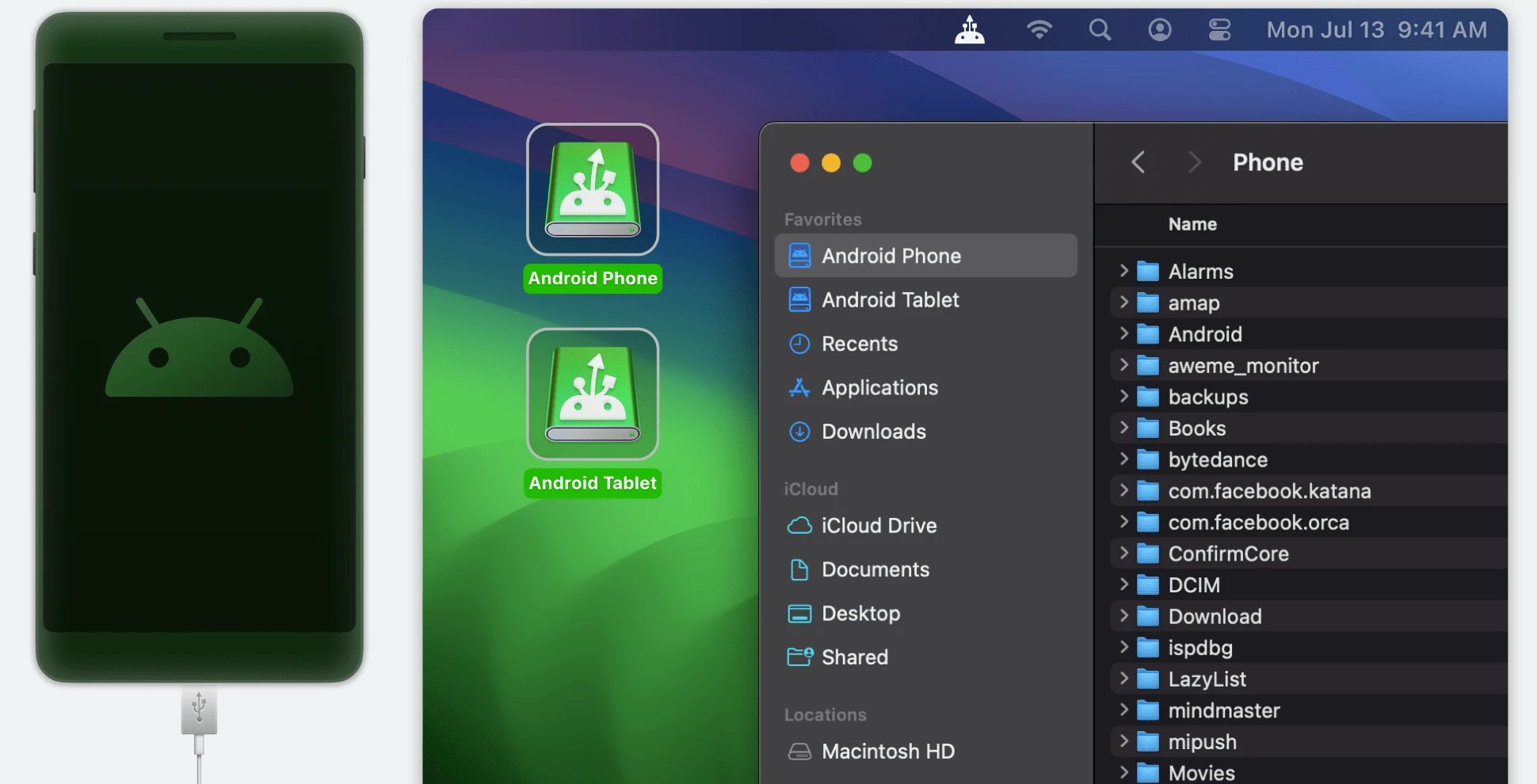
MacDroid allows you to view Android devices directly in the Finder.
Users can:
- Browse Android storage
- Copy files
- Move folders
- Open documents
- Manage media files
without leaving the macOS file management environment.
Mount Android as a drive
One of the most useful features of the software is the ability to mount Android storage as a drive.
Benefits:
- Direct access to files
- Faster browsing
- Simplified organization
- Familiar macOS workflow
Users can work with both the internal and external storage of their Android device.
Two-way file transfers
The Pro version supports two-way file transfers.
Users can:
- Copy files from Android to Mac
- Transfer files from Mac to Android
- Sync folders
- Manage media libraries
This is useful for both backups and everyday file management.
USB connectivity
MacDroid supports traditional USB connections for reliable transfers.
Advantages:
- Stable communication
- High transfer speed
- Support for large files
- Fewer wireless interruptions
USB remains the preferred solution for large data transfers.
Wireless connections
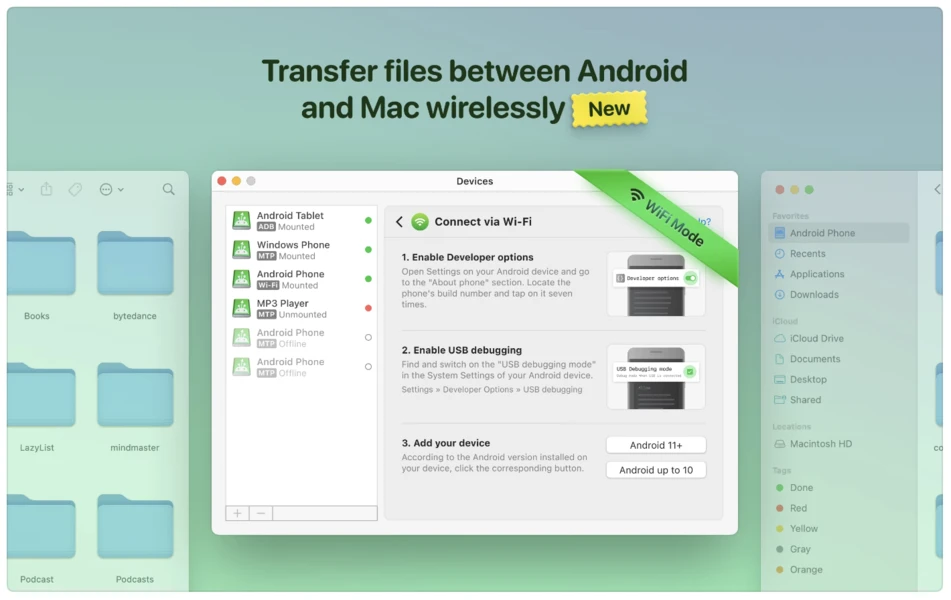
The software supports wireless access to devices via Wi-Fi and ADB.
This enables:
- Wireless transfers
- Remote file access
- Easy synchronization
- Flexible workflows
Recent versions improve communication and reliability with wireless devices.
Compatibility with MTP devices
MacDroid works with Android devices and many other MTP-enabled devices.
Compatible hardware:
- Android phones
- Android tablets
- Cameras
- Media players
- External MTP storage devices
This broad compatibility enhances its usefulness.
Direct file editing
Users can edit files stored on their Android devices directly from macOS.
This allows you to:
- Edit documents
- Edit images
- Manage media
- Optimize workflow
without having to manually copy files.
Manage photos
MacDroid simplifies photo transfer.
Users can:
Access Android photo libraries
- Import images
- Organize albums
- Back up photos
- directly via Finder.
What’s New in Version 2.9.1
Fixes a bug that caused the application to close unexpectedly on startup
The main update in version 2.9.1 fixes a bug that caused the application to close unexpectedly on startup, affecting certain macOS configurations.
Improved Device Communication
Version 2.9 improves:
- MTP Connectivity
- Android Discovery
- Device Communication
- Transfer Reliability
for a smoother user experience.
Improved Wi-Fi and ADB Support
Recent updates optimize:
- Wireless Transfers
- ADB Communication
- Connection Stability
- Device Discovery
making wireless workflows more reliable.
Improved Large File Upload Management
The software now handles large files more efficiently, improving transfer reliability for workflows with large amounts of media.
Caching Control
Version 2.9 introduces options to select the cache location on supported macOS versions, giving users greater control over temporary file management.
Screenshots:
System Requirements
Minimum System Requirements
- Operating System: macOS 11.5 or later
- Processor: Intel Mac, Apple Silicon Mac
- RAM: 4 GB minimum
- Storage: App size Approximately 30 MB
- Supported Devices: Android devices, MTP-compatible devices
Recommended Configuration:
For optimal performance:
- Operating System: Latest macOS version
- Processor: Apple Silicon M-series processor
- RAM: 8 GB or more
- Connectivity: USB 3.0 or later, Stable Wi-Fi network
These specifications improve transfer speed and overall responsiveness.
Advantages and Disadvantages:
Advantages:
- Functions as a native macOS storage device.
- Compatible with USB, MTP, ADB, and Wi-Fi connections.
- Allows you to edit Android files without manually copying them.
- Works with many Android and MTP devices.
- Apple Silicon Processor Compatibility
- Fully compatible with modern Mac hardware.
- Ideal for multi-media workflows.
Disadvantages
- Some users report connection issues.
- Possibly Large Cache
- macOS Only
- Not available for Windows users.
- Performance depends on device compatibility.
Transfer reliability may vary depending on the Android model and connection method.
Conclusion:
MacDroid Pro 2.9.1 for macOS is a powerful file management and transfer utility for Android, allowing users to connect Android devices to Apple’s desktop operating system. With its Finder integration, USB and wireless connectivity, direct file editing, MTP protocol support, and bidirectional transfers, it offers a convenient solution for users who frequently transfer data between Android devices and Macs.
Leave a Reply