
Cookie 8.4.10 For MacOS Download

Cookie 8.4.10 for macOS is a professional privacy management application designed to help users control cookies, tracking data, browsing history, cache, and other online privacy elements across multiple web browsers. This software offers centralized management of privacy settings, along with automated cleanup features and advanced customization.
Unlike traditional privacy tools, Cookie works simultaneously across multiple browsers and allows you to selectively preserve important sessions, automatically removing unwanted tracking data. This balance between privacy and ease of use makes the software especially useful for users concerned about their online security and a smooth browsing experience.
Cookie is commonly used for:
- Cookie cleanup
- Tracking prevention
- Cache clearing
- History clearing
- Privacy optimization
- Multi-browser management
Version 8.4.10 introduces improved communication with browser extensions, performance optimizations, greater compatibility, and expanded support for modern browsers and the macOS environment.
Key Features of Cookie 8.4.10:
Advanced Cookie Management
Cookie’s main feature is centralized cookie management across multiple browsers.
The software allows users to:
- View saved cookies
- Delete unwanted cookies
- Keep trusted cookies
- Manage cookie permissions
- Manage tracking cookies
Users can allow important login sessions while automatically removing intrusive tracking data.
This prevents repeated logins and improves privacy.
Automatic Privacy Cleanup
Cookie integrates powerful automation tools for privacy cleanup.
Users can schedule automatic data deletion:
- When closing the browser
- When starting macOS
- When waking from sleep mode
- At regular intervals
- Using keyboard shortcuts
This automation minimizes manual privacy maintenance.
Multi-Browser Compatibility
One of Cookie’s main advantages is its broad browser compatibility.
Compatible Browsers:
- Safari
- Chrome
- Firefox
- Chromium
- Edge
- Opera
Recent versions also improve compatibility with newer browsers and beta versions.
Tracking Cookie Detection
Cookie automatically identifies tracking cookies used for:
- Advertising
- User profiling
- Analytics
- Cross-site tracking
The software allows you to remove these trackers while preserving functional cookies.
This improves online privacy without significantly disrupting browsing.
Centralized View of Privacy Data
The software consolidates browser privacy information into a single interface.
Available Management Options:
- Cookies
- Cache Files
- Local Storage
- Browsing History
- Databases
Designed for beginners who want automatic privacy management with minimal setup.
Advanced Mode
Provides full manual control over:
- Individual cookies
- Domains
- Browser-specific rules
- Cleanup schedules
- Tracking definitions
This flexibility makes the software suitable for both casual users and privacy experts.
What’s New in Cookie 8.4.10?
Improved Communication with Browser Extensions
Version 8.4.10 improves communication between Cookie and compatible browser extensions.
Improvements:
- Reliable Cleanup
- Browser Synchronization
- Privacy Automation
- Extension Stability
Browser Compatibility
Recent updates improve compatibility with:
- Arc Browser
- Zen Browser
- Dia Browser
- Firefox-based Browsers
- Chromium-based Browsers
The software also improves compatibility with browsers installed via Homebrew.
Improved Bookmark Validation
Version 8.4.x improves the management and validation of bookmark cookies.
Problem Reduction:
- Sync Issues
- Bookmark Conflicts
- Cookie Policy Inconsistencies
Improved Safari Data Management
Recent updates optimize:
- Safari Cache Clearing
- Session Cleanup
- Download History Deletion
- Recently Closed Tab Management
These improvements streamline Safari’s privacy processes.
Performance and Memory Optimizations
Latest versions include:
- Faster Sidebar Rendering
- Reduced Memory Consumption
- Improved Reload Management
- Enhanced Browser Analysis Performance
These updates improve responsiveness on modern macOS systems.
Stability improvements and bug fixes
Version 8.4.10 also fixes:
- Sidebar update issues
- Window resizing issues
- Browser permission management
- iCloud sync stability
- Potential crashes
These fixes improve the overall reliability of the software.
You may also Download: Pixelmator Pro 4.0 for MacOS
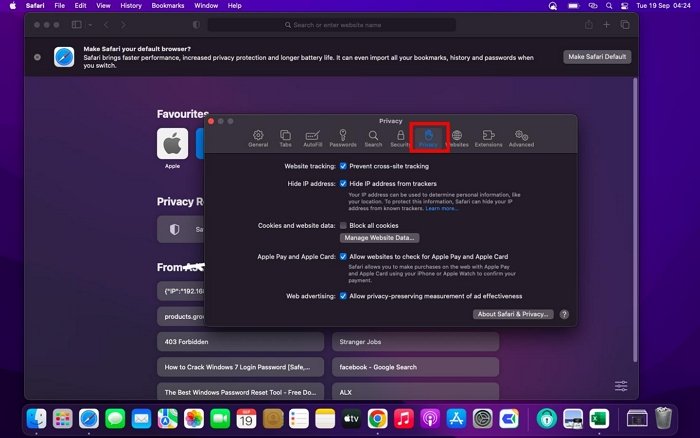
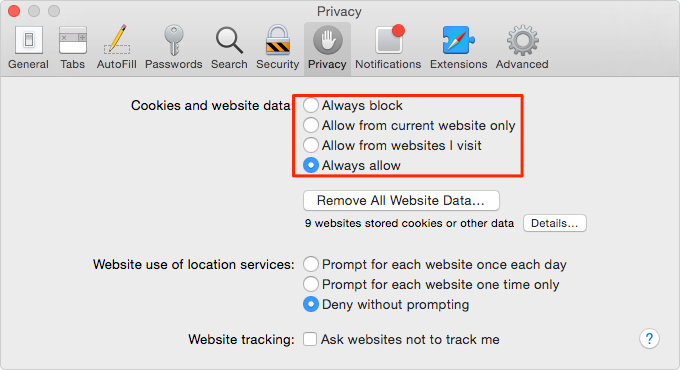
Screenshots:
System Requirements:
Minimum System Requirements
For Cookie 8.4.10 to function correctly, your system typically needs the following:
- Operating System: macOS 12 Monterey or later
- Processor: 64-bit Intel or Apple Silicon processor
- RAM: Minimum 4 GB of RAM
- Storage: Approximately 50 MB of available disk space
- Compatible Browsers: Safari, Chrome, Firefox, or compatible browsers
Recommended Configuration
For smoother privacy automation and better cross-browser workflow management, the following configuration is recommended:
- Operating System: macOS Sequoia or later
- Processor: Apple Silicon recommended
- RAM: 8 GB of RAM or more
- Storage: SSD recommended
Advantages and Disdvantages of Cookie 8.4.10:
Advantages:
- Excellent privacy automation
- Beginner and Advanced modes
- Suitable for all experience levels.
- Optimal performance on macOS
- Centralized privacy management
- Simplifies browser privacy control.
- Clean and modern user experience.
Disadvantages:
- Advanced settings can be complex for beginners.
- Detailed privacy options require some learning.
- Initial setup can be time-consuming.
- Overly strict settings may delete important data.
Conclusion:
Cookie 8.4.10 for macOS is a powerful privacy management application designed to help users control cookies, cache, tracking data, and browsing history across multiple browsers. Thanks to its advanced automation, flexible whitelisting, cross-browser compatibility, centralized privacy management, and modern macOS interface, this software remains one of the most comprehensive privacy protection tools available for Mac users.
Its automation, flexibility, and lightweight design make it especially suitable for:
- Privacy-conscious users
- Multi-browser users
- macOS professionals
- Remote workers
- Security-conscious individuals
While mastering the advanced settings may take some time, Cookie 8.4.10 offers a highly effective and easy-to-use solution for maintaining online privacy and browser cleanliness on macOS systems.
Leave a Reply